Introduction – The Truth About Macs Nobody Tells You Before Buying
The truth about Macs is rarely discussed honestly.
Most reviews either praise Apple blindly or hate Macs without context. Very few explain what actually happens after you buy one.
Walk into any store and you’ll hear:
- “Macs last longer”
- “macOS is smoother”
- “Once you go Mac, you never go back”
But here’s the truth 👇
Buying a Mac is not just a laptop decision.
It’s a workflow decision, money decision, and habit-changing decision.
This article shares the real truth about Macs nobody tells you before buying, based on:
- Daily real-world usage
- Switching from Windows
- Long-term ownership reality
- Hidden frustrations people only realize after months
No hype. No Apple hate. Just honesty.
The First Impression Trap – Why Macs Feel Magical at First
Let’s start with an uncomfortable truth.
Macs are designed to impress you immediately.
The moment you open the lid:
- Screen looks insanely sharp
- Trackpad feels unreal
- Animations are smooth
- Fan noise? Almost none
This first impression is not accidental.
Apple spends years polishing: ( The Truth About Macs Nobody Tells You Before Buying )
- Touchpad physics
- Animation timing
- Sound effects
- Keyboard feel
So yes—your first week with a Mac feels amazing.
But here’s what nobody tells you:
First impressions don’t represent long-term reality.
That smoothness can hide:
- Software limitations
- Compatibility issues
- Workflow restrictions
- Expensive upgrades
Understanding the truth about Macs means looking beyond the honeymoon phase.
Opinion + Experience – My Real Usage Truth
When I first switched to a Mac, I felt:
- Productive
- Organized
- “Premium” (yes, that feeling matters psychologically)
macOS feels like: ( The Truth About Macs Nobody Tells You Before Buying )
A calm, clean desk with everything aligned.
But after weeks turned into months, new realities appeared:
- Simple things sometimes took more steps
- External software behaved differently
- Customization felt… restricted
It wasn’t bad.
It was different in a way no YouTube review warned me about.
That’s why this article exists.
What Macs Are Genuinely Amazing At
Let’s be fair.
The truth about Macs includes real strengths.
1. macOS Stability Is Real
macOS rarely crashes.
Apps don’t freeze often.
Sleep/wake works perfectly.
For:
- Writers
- Developers
- Designers
- Bloggers
- Students
This reliability matters more than raw specs.
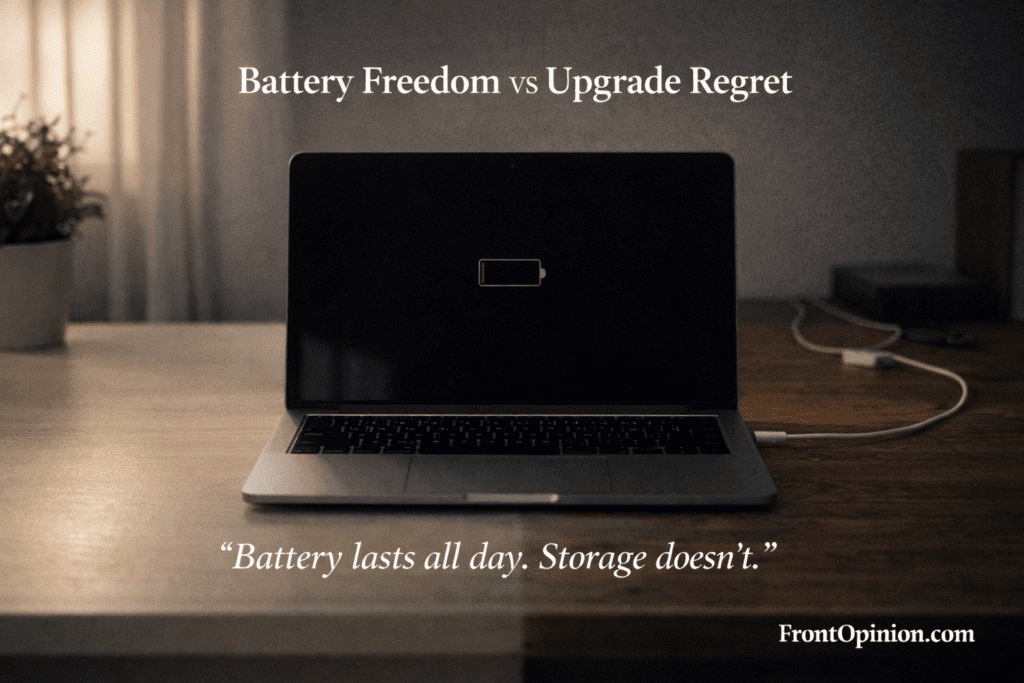
2. Battery Life Is Legitimately Outstanding
Apple Silicon changed everything.
You can: ( The Truth About Macs Nobody Tells You Before Buying )
- Work 8–12 hours
- Close the lid
- Open next day and still have battery
Windows laptops advertise battery life.
Macs deliver it.
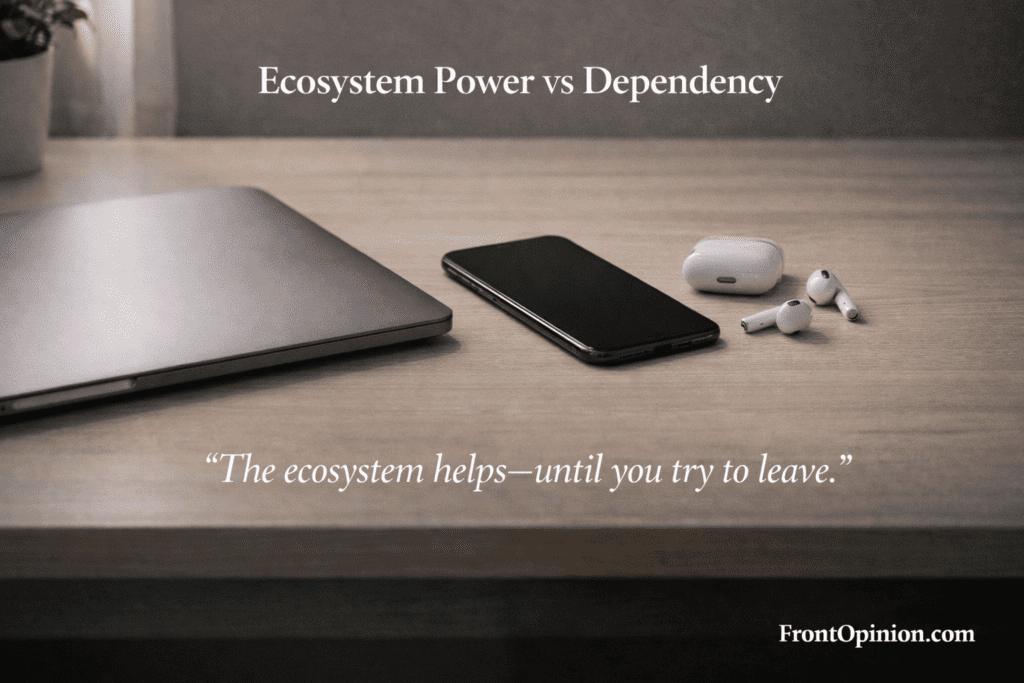
3. Ecosystem Is Powerful
If you own:
- iPhone
- iPad
- AirPods
Then Macs feel magical: ( The Truth About Macs Nobody Tells You Before Buying )
- Copy on phone → paste on Mac
- AirDrop files instantly
- Messages sync everywhere
This ecosystem advantage is real—and intentional.
The Hidden Truth About Macs Nobody Mentions
Now comes the part most reviews avoid.
1. Macs Are Not “Plug and Play” for Everyone
If you:
- Use niche software
- Depend on older tools
- Need cracked legacy apps (being honest)
You’ll struggle.
Many tools: ( The Truth About Macs Nobody Tells You Before Buying )
- Work differently
- Need paid alternatives
- Don’t exist at all
macOS is opinionated.
It wants you to work its way.
2. Customization Is Limited
On Windows:
- You control the system
On macOS: ( The Truth About Macs Nobody Tells You Before Buying )
- Apple controls the experience
You can’t: ( The Truth About Macs Nobody Tells You Before Buying )
- Change system behavior deeply
- Tweak UI freely
- Modify hardware later
Some love this simplicity.
Others feel trapped.
3. Repairs Are Painfully Expensive
Here’s a brutal truth about Macs:
- RAM is soldered
- SSD is soldered
- Repairs are costly
A small issue can lead to:
- Huge service bills
- Board replacements
- No DIY fixes
That “premium build” comes with premium repair costs.
Pros and Cons – The Truth About Macs in One Place
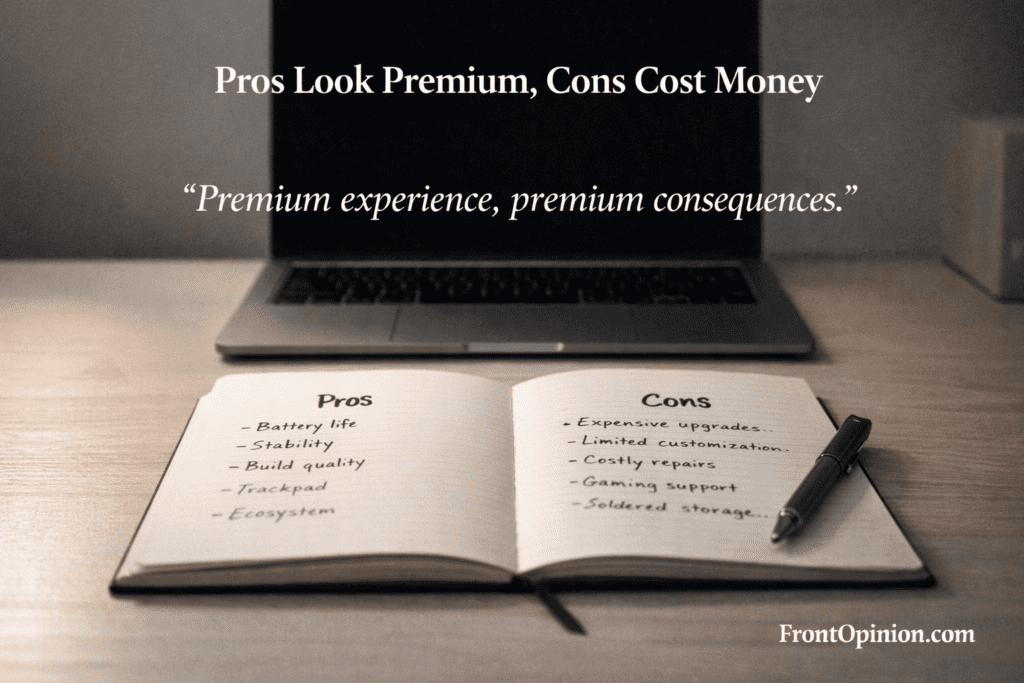
✅ Pros
- Excellent battery life
- Stable macOS
- Premium build quality
- Best trackpad in industry
- Long software support
❌ Cons
- Very expensive upgrades
- Limited customization
- Software compatibility issues
- Costly repairs
- Not ideal for all users
This balance is the real truth about Macs. ( The Truth About Macs Nobody Tells You Before Buying )
Who Should Buy a Mac
You should buy a Mac if you: ( The Truth About Macs Nobody Tells You Before Buying )
- Write, blog, code, design, or study
- Value battery life over specs
- Want a distraction-free OS
- Already own Apple devices
- Prefer stability over freedom
Macs shine when used within their intended ecosystem.
Who Should Avoid a Mac
Avoid buying a Mac if you: ( The Truth About Macs Nobody Tells You Before Buying )
- Need heavy gaming
- Love deep system customization
- Use Windows-only enterprise tools
- Expect cheap repairs
- Want upgrade flexibility
A Mac is not “better”—it’s selective.
Performance Myths vs Reality – The Truth About Macs Nobody Explains Clearly
One of the biggest selling points you’ll hear is: ( The Truth About Macs Nobody Tells You Before Buying )
“Macs are faster than Windows laptops with the same specs.”
That statement is half-true.
The Real Truth About Mac Performance
Macs feel fast because:
- macOS animations are smooth
- Apps open quickly
- Background tasks are tightly controlled
But speed ≠ raw power.
In real-world usage, performance depends on:
- Your workload
- App optimization
- RAM and storage choices at purchase
This is where many buyers make expensive mistakes.
Apple Silicon Is Powerful — But Not Magic
Apple’s M-series chips are genuinely impressive.
They excel at: ( The Truth About Macs Nobody Tells You Before Buying )
- Video playback
- Coding
- Browsing
- Photo editing
- Everyday multitasking
However, the truth about Macs is this:
Apple Silicon is optimized power, not unlimited power.
Where Macs Feel Incredibly Fast
- Opening apps instantly
- Battery-efficient workloads
- Single-app focus workflows
Where Macs Can Feel Limited
- Heavy 3D rendering
- Large-scale simulations
- Certain engineering tools
- Virtual machines (especially Windows-based)
If your work depends on Windows-first software, a Mac may feel like a compromise.
Gaming on Macs – The Honest Truth Nobody Sugarcoats
Let’s stop pretending.
Macs Are Not Gaming Machines
Yes, some games run.
Yes, Apple is “improving gaming.”
But the truth about Macs and gaming is brutal: ( The Truth About Macs Nobody Tells You Before Buying )
- Most AAA games aren’t supported
- Many titles run poorly or not at all
- External GPUs are basically dead
- Game optimization favors Windows
If gaming matters to you:
Do not buy a Mac expecting miracles.
Even casual gamers eventually feel restricted.
The RAM & Storage Trap – Apple’s Most Expensive Secret
This is one of the most important truths about Macs.
Base Models Look Affordable (At First)
Apple often advertises:
- 8GB RAM
- 256GB SSD
Sounds okay… until reality hits.
Why 8GB RAM Isn’t Enough Long-Term
macOS uses RAM aggressively.
Swap memory helps—but only to a point.
After months of usage:
- Browser tabs grow
- Background apps pile up
- System caching increases
The result?
- Occasional slowdowns
- More SSD wear
- Reduced lifespan
Storage Fills Faster Than You Expect
macOS:
- Creates system snapshots
- Caches updates
- Stores local backups
256GB disappears fast.
And remember:
You cannot upgrade later.
That single decision at checkout can cost you ₹20,000–₹40,000 more upfront—or regret later.
Switching From Windows to Mac: 9 Ultimate Honest Reasons
macOS Frustrations Nobody Mentions in Reviews
Most reviews focus on how beautiful macOS looks.
Very few talk about how it feels after months.
1. Finder Isn’t Always Intuitive
File management on macOS:
- Feels different from Windows
- Lacks cut-paste behavior users expect
- Sometimes hides system folders
You adapt—but it’s not instantly logical.
2. Window Management Feels Restrictive
Without third-party tools:
- Window snapping is basic
- Multi-monitor workflows feel awkward
- Full-screen apps dominate control
You can fix this—but:
- It requires extra apps
- Some are paid
- Apple doesn’t prioritize power users here
3. macOS Updates Can Break Workflows
Yes, macOS is stable.
But major updates can:
- Break third-party apps
- Change settings
- Remove older compatibility
Professional users often delay updates for months.
That’s something new buyers never expect.
Productivity: Macs Make You Work Apple’s Way
This is not good or bad—just honest.
macOS encourages: ( The Truth About Macs Nobody Tells You Before Buying )
- Focused work
- Minimal multitasking chaos
- Clean environments
If you enjoy:
- Deep work
- Less distraction
- Simplicity
Macs feel amazing.
If you enjoy:
- Power-user tweaks
- Automation-heavy workflows
- Total system control
macOS may frustrate you.
The Long-Term Cost Truth About Macs
When people talk about Macs, they usually discuss purchase price.
But the real truth about Macs is revealed after 1–3 years of ownership.
Let’s break this down honestly.
Macs Are Not Expensive to Buy — They’re Expensive to Own
Yes, the upfront cost is high.
But what surprises most buyers is:
- Upgrade costs
- Repair pricing
- Accessory pricing
- Service dependency
In India, these costs feel even heavier.
Repairs: The Uncomfortable Truth Nobody Warns You About
Here’s a reality many Mac owners learn the hard way.
Macs Are Hard to Repair
Modern Macs have:
- Soldered RAM
- Soldered SSD
- Integrated components
This means:
- One faulty part = entire board replacement
- Small issue = big bill
A keyboard issue?
A display problem?
Liquid damage?
You’re often paying tens of thousands, not a few thousand.
Local Repairs vs Authorized Service
In India:
- Local repair shops struggle with Mac parts
- Authorized service centers are expensive
- Warranty extensions cost extra
Many users realize too late: ( The Truth About Macs Nobody Tells You Before Buying )
Owning a Mac means depending on Apple’s service ecosystem.
This isn’t a deal-breaker—but it must be known before buying.
Accessories & Add-Ons: Small Costs That Add Up
Another hidden truth about Macs: ( The Truth About Macs Nobody Tells You Before Buying )
The laptop price is just the beginning.
Common Extra Expenses
- USB-C hubs
- External SSDs
- Adapters
- Keyboard covers
- Paid macOS apps
Most Macs come with:
- Limited ports
- Minimal storage
- No upgrade flexibility
So users naturally spend more after purchase.
Over 2–3 years, these “small” expenses add up significantly.
Resale Value – One Place Where Macs Truly Shine
Now for some good news.
Macs Hold Resale Value Extremely Well
Compared to Windows laptops:
- Macs lose value slower
- Demand stays high
- Even old models sell decently
Why?
- Long software support
- Premium build quality
- Brand trust
After 3–4 years, a Mac can still recover:
- 40–60% of its value (model dependent)
This is a genuine advantage.
But There’s a Catch
Resale value stays high only if: ( The Truth About Macs Nobody Tells You Before Buying )
- Battery health is good
- Storage isn’t minimal
- No physical damage exists
Base models with 256GB often sell slower.
This circles back to the earlier truth:
Buying the right configuration matters more than buying the Mac itself.
Privacy: Truth vs Marketing
Apple markets privacy aggressively.
But what’s the real truth about Macs and privacy?
What Apple Does Right
- Less ad tracking
- Strong app permissions
- Transparent privacy controls
macOS gives users clear visibility into: ( The Truth About Macs Nobody Tells You Before Buying )
- App access
- Microphone usage
- Camera usage
That’s genuinely better than many platforms.
What Apple Doesn’t Talk About
Privacy ≠ anonymity.
- iCloud syncs a lot of data
- Apple services still collect usage metrics
- Closed ecosystem limits transparency
Apple protects users from third-party abuse, not from itself entirely.
That’s not evil—it’s business.
The truth about Macs is:
Privacy is better, not absolute.
macOS Longevity – How Long a Mac Really Lasts
One reason people justify Mac prices is longevity.
Let’s be realistic.
Software Support Is Excellent
Most Macs receive: ( The Truth About Macs Nobody Tells You Before Buying )
- 6–7 years of major updates
- Security patches even longer
This keeps devices usable far longer than many Windows laptops.
Hardware Reality Still Applies
But no laptop escapes:
- Battery degradation
- Thermal wear
- Performance limits
After 4–5 years: ( The Truth About Macs Nobody Tells You Before Buying )
- Battery replacement is common
- Performance feels slower
- Repair decisions become harder
A Mac lasts long—but not forever.
Pros and Cons – Long-Term Ownership Truth
✅ Pros
- Excellent resale value
- Long software support
- Strong build quality
- Good long-term stability
❌ Cons
- Expensive repairs
- High accessory costs
- Limited service flexibility
- No upgrade path
This long-term view is where many buyers wish they had more honesty earlier.
Who Feels These Costs the Most?
You’ll Feel Fine If You:
- Budgeted properly
- Bought higher RAM/storage
- Use your Mac professionally
You’ll Feel Frustrated If You:
- Bought base model to “save money”
- Expected cheap repairs
- Didn’t consider accessory needs
The truth about Macs is simple: ( The Truth About Macs Nobody Tells You Before Buying )
They reward planning and punish impulse buying.
macOS vs Windows – The Long-Term Reality Nobody Explains Clearly
macOS and Windows feel similar on day one, but the long-term reality is very different. macOS prioritizes stability, battery efficiency, and a controlled experience, making it calm and reliable over years of use. Windows prioritizes flexibility, compatibility, and control, which suits power users but can feel messy over time. Choosing between them isn’t about specs—it’s about which philosophy you can live with daily.
Most people compare Macs and Windows laptops like specs on paper.
That’s the wrong comparison.
The real difference isn’t: ( The Truth About Macs Nobody Tells You Before Buying )
- Processor speed
- RAM numbers
- Benchmark scores
It’s philosophy.
macOS Philosophy
macOS believes:
- You should focus, not tweak
- The system knows better than you
- Stability > flexibility
It’s like driving a premium automatic car:
- Smooth
- Predictable
- Limited customization
Windows Philosophy
Windows believes:
- You control everything
- Flexibility matters more than polish
- Compatibility beats elegance
It’s like driving a manual performance car:
- More control
- More freedom
- More responsibility
Neither is better universally.
But choosing the wrong philosophy feels painful after purchase.
That’s a core truth about Macs nobody tells you early.
Emotional Buying vs Logical Buying – Where Most People Go Wrong
Let’s be honest.
Most Mac purchases are emotional.
People buy Macs because:
- They look premium
- Influencers use them
- Apple marketing feels aspirational
- macOS looks “clean”
None of these are wrong reasons.
But they become dangerous when logic is ignored.
Emotional Buying Leads To:
- Buying base models
- Ignoring storage needs
- Underestimating repair costs
- Assuming “Mac = perfect”
Logical Buying Asks: ( The Truth About Macs Nobody Tells You Before Buying )
- What apps do I use daily?
- Can I afford repairs?
- Do I need gaming or Windows-only tools?
- Am I okay with Apple’s way of working?
The truth about Macs is this:
They are fantastic tools when bought logically—and frustrating luxuries when bought emotionally.
Who Should DEFINITELY Buy a Mac
You are an ideal Mac buyer if you: ( The Truth About Macs Nobody Tells You Before Buying )
- Write, blog, or study daily
- Code, design, or edit content
- Want long battery life
- Value stability over tweaking
- Already use iPhone / iPad
- Prefer calm, distraction-free workflows
For you, a Mac feels:
Like a quiet, reliable partner that stays out of your way.
And that’s powerful.
Who Should ABSOLUTELY Avoid a Mac
You should avoid buying a Mac if you: ( The Truth About Macs Nobody Tells You Before Buying )
- Game regularly
- Need heavy Windows-only software
- Love hardware upgrades
- Expect cheap repairs
- Enjoy system-level customization
- Buy base models to “save money”
For you, a Mac feels:
Like an expensive cage disguised as freedom.
And that frustration grows with time.
Pros + Cons (Final Honest Summary)
✅ What Macs Do Exceptionally Well
- Long battery life
- Premium build quality
- Smooth macOS experience
- Excellent resale value
- Long software support
❌ Where Macs Disappoint
- Expensive upgrades
- Costly repairs
- Poor gaming support
- Limited customization
- Base models age badly
This balance is the truth about Macs, stripped of marketing.
Conclusion – The Truth About Macs Nobody Tells You Before Buying
So… are Macs worth buying?
The Honest Answer:
Yes — but only for the right person, at the right configuration, with the right expectations.
A Mac is not:
- A universal laptop
- A gaming machine
- A budget-friendly option
A Mac is:
- A focused productivity machine
- A long-term work companion
- A premium, opinionated tool
If you fight macOS, you’ll hate it.
If you flow with it, you’ll love it.
That’s the truth most people learn after spending their money.
FAQs – Final Buyer Questions
1. Should I buy the base Mac model?
Only for light usage. Professionals should avoid base configs.
2. Is Mac better than Windows long term?
Yes for stability and resale. No for flexibility and cost control.
3. Are Macs overpriced?
They’re premium-priced, not overpriced—if used correctly.
4. Is a Mac good for beginners?
Yes, but expect a learning curve in the first month.
5. Can a Mac replace all my devices?
For many users, yes—especially within Apple’s ecosystem.Pros + Cons (Final Honest Summary)
✅ What Macs Do Exceptionally Well
- Long battery life
- Premium build quality
- Smooth macOS experience
- Excellent resale value
- Long software support
❌ Where Macs Disappoint
- Expensive upgrades
- Costly repairs
- Poor gaming support
- Limited customization
- Base models age badly
This balance is the truth about Macs, stripped of marketing. ( The Truth About Macs Nobody Tells You Before Buying )