Why This iPhone for Beginners Guide Is Different
Most blogs about iPhone for beginners either:
- Praise Apple blindly
- Or complain emotionally
This guide does neither.
Instead, it’s written from real beginner experience — the wow moments and the why-can’t-I-do-this? moments.
Think of this guide like:
🚗 Learning to drive a luxury car for the first time
Smooth ride… but confusing buttons.
First iPhone Experience: What Feels Amazing Instantly
The moment a beginner turns on an iPhone, something feels… different.
Not flashy.
Not dramatic.
Just calm.
Here’s why beginners love it instantly:
- No lag while opening apps
- Animations feel smooth, not fast
- Touch response feels “precise”
- Everything looks clean and intentional
It feels like:
✨ Using a well-organized notebook instead of a messy drawer.
The iPhone “Magic” Beginners Love on Day One
Smoothness You Don’t Need to Understand
As a beginner, you don’t care about:
- RAM size
- Refresh rate
- Background process limits
You just feel:
“This phone doesn’t stutter.”
That’s Apple’s biggest win for beginners.
Using an iPhone Daily for a Year – 13 Ultimate Honest Experience
Camera That “Just Works”
For iPhone for beginners, the camera experience is magical.
You don’t need:
- Pro mode
- Manual ISO
- Complex settings
You tap → photo looks good.
Real-world analogy:
It’s like ordering food at a restaurant where everything tastes decent, even if you don’t know the menu.
Apps Feel More Polished (Especially for Beginners)
Beginners notice this quickly:
- Apps rarely crash
- UI feels consistent
- Back gestures mostly work the same
Especially apps like:
- Banking apps
- Social media
- Education apps
This consistency reduces beginner anxiety.
iPhone Privacy Feels Reassuring (Even If You Don’t Fully Understand It)

For iPhone beginners, pop-ups like:
- “Allow app to track?”
- “Allow access to photos?”
Feel protective.
Even non-technical users think:
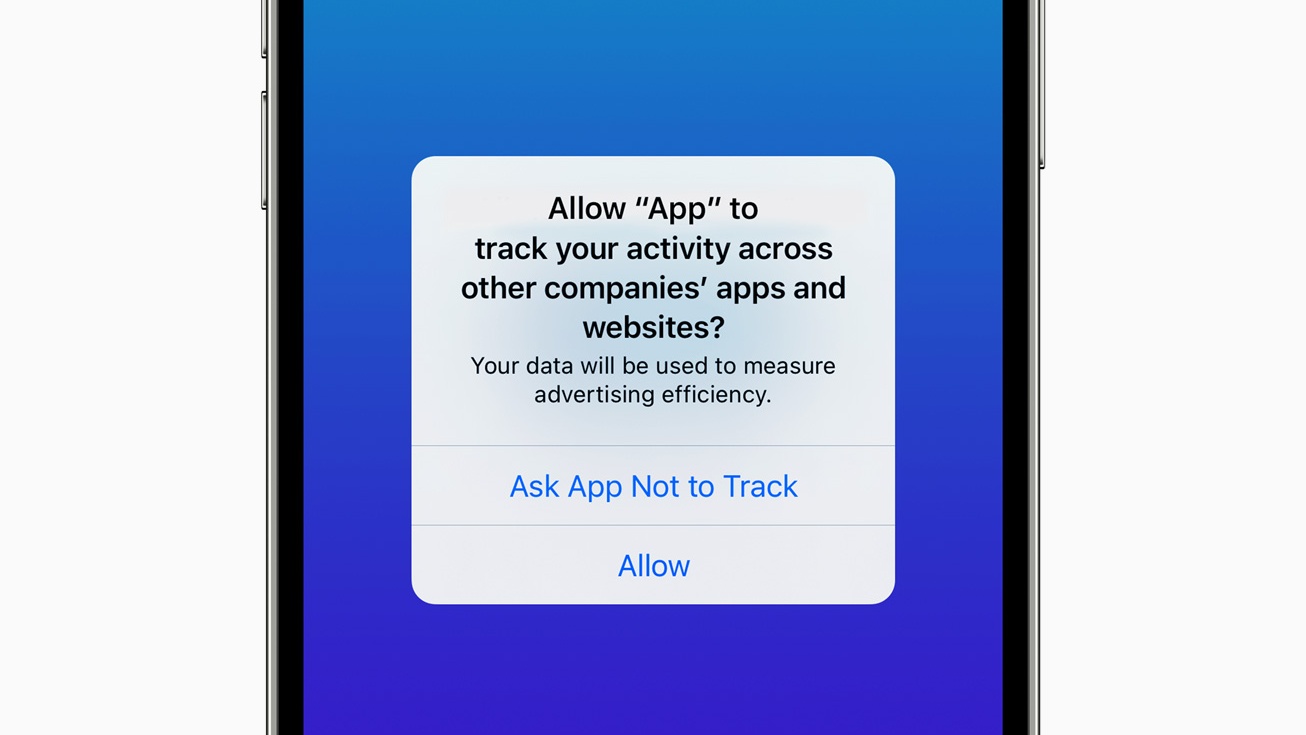
“At least my phone is asking me.”
When That Beginner Excitement Turns into Frustration
Here’s where iPhone for beginners becomes emotionally confusing.
Because after a few days, you start asking questions.
“Why Can’t I Do Simple Things?”
Common beginner frustrations: iPhone for beginners
- No real file manager like Android
- Bluetooth feels restricted
- Downloads don’t behave normally
- Custom ringtones are painful
It feels like:
🚪 Doors exist… but many are locked.
Customization Shock for Android Users
For Android-to-iPhone beginners:
- Icons must stay in grid order
- Widgets feel limited
- Launchers don’t exist
You start missing freedom.
Back Button Confusion (Yes, It’s Real)
Every beginner experiences this.
- Sometimes swipe works
- Sometimes top-left button
- Sometimes no back gesture at all
It’s not broken — it’s just inconsistent.
iPhone for Beginners: My Honest First-Week Opinion
After 7 days, most beginners feel two emotions at once:
Love
- Smooth performance
- Reliable camera
- Premium feel
Frustration
- “Why can’t I do this?”
- “Android did this easily”
- “Why is Apple controlling everything?”
This emotional conflict is normal.
iPhone for Beginners – Pros & Cons Snapshot
Pros (Beginner Friendly)
- Smooth and lag-free
- Excellent camera without effort
- Strong privacy defaults
- Long software support
Cons (Beginner Pain Points)
- Limited customization
- File handling confusion
- Accessories cost more
- Apple ecosystem lock-in
Who Should Buy an iPhone as a Beginner?
iPhone is perfect for beginners if you:
- Want simplicity over control
- Prefer stability over experimentation
- Use phone mainly for apps, camera, calls
- Don’t want to tweak settings daily
Who Should Avoid iPhone
Avoid iPhone if you:
- Love deep customization
- Regularly transfer files via Bluetooth
- Want cracked/modded apps
- Prefer open system control
What Most iPhone for Beginners Guides Don’t Tell You
Here’s the truth: iPhone for beginners
Apple doesn’t want beginners to learn technology.
Apple wants beginners to:
Stop thinking — and just use.
That’s either a blessing… or a limitation.
iPhone for Beginners: What Daily Life Really Feels Like (After 30–90 Days)
The first week with an iPhone feels exciting.
The real test for iPhone beginners starts after a month.
That’s when habits form.
Let’s talk about what daily iPhone usage actually feels like.
Everyday iPhone Use: Calm, Predictable, Reliable
After 30 days, most beginners notice one thing clearly:
“My phone never annoys me… but it also never surprises me.”
Daily tasks that feel effortless:
- Unlocking the phone (Face ID is scary fast)
- Opening frequently used apps
- Switching between apps smoothly
- Notifications that don’t overwhelm you
For beginners, this predictability is comforting.
Face ID: Beginner’s Silent Favorite Feature
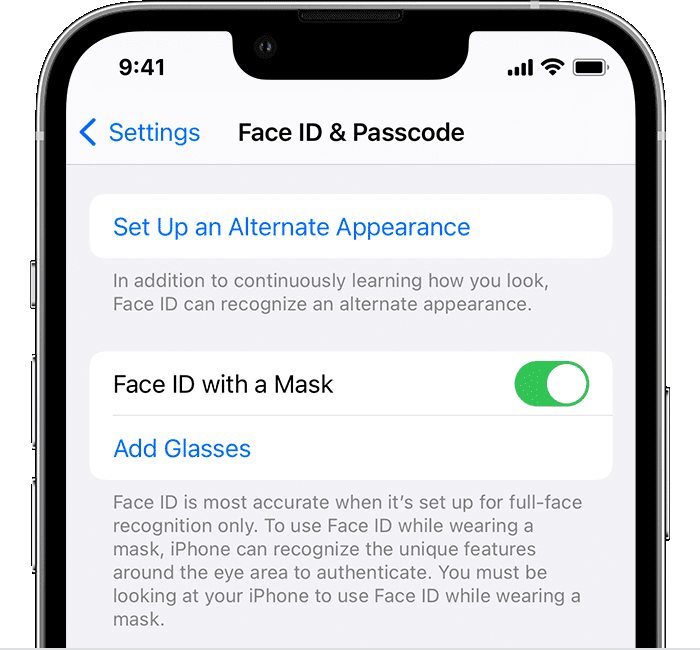
Many beginners don’t talk about it, but Face ID changes behavior.
You stop:
- Typing passwords
- Thinking about unlocking
- Worrying about security
It just works — even in low light.
iPhone for Beginners: The Battery Reality Nobody Explains Properly
Here’s where confusion begins.
The Truth: iPhone for beginners
iPhone battery life is not bad —
but it’s not magical either.
What Beginners Expect ❌
- 2 full days battery
- Fast charging in 30 minutes
- Battery percentage accuracy
What Beginners Actually Get ✅
- Reliable 1-day battery
- Slower but safer charging
- Battery health tracking
Battery Anxiety Is Real (Especially for Android Switchers)
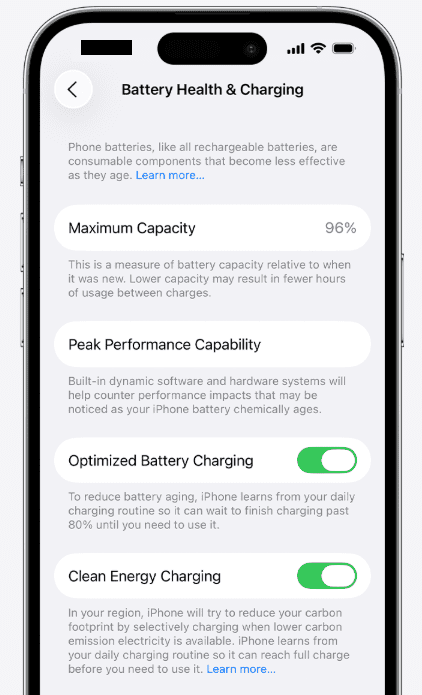
Beginners notice:
- Battery drops slowly but steadily
- No sudden 10% jumps
- Phone doesn’t overheat
But charging speed feels… slow.
Apple’s philosophy:
“Charge slowly, protect battery long-term.”
Charging & Accessories: First Real Frustration Point
For iPhone beginners, accessories are the first shock.
Beginner surprises: iPhone for beginners
- Charger not included
- Certified cables cost more
- Cheap cables show warnings
You quickly learn about:
- MFi certification
- Lightning vs USB-C (model dependent)
- Wireless charging inefficiencies
This is where Apple’s premium strategy becomes obvious.
App Store Experience: Cleaner, But More Restrictive
For beginners, the App Store feels:
- Clean
- Safe
- Less cluttered
But…
What Beginners Miss:
- No true alternative app stores
- No sideloading freedom
- Paid apps are common
You feel protected — but controlled.
Privacy & Security: Comfort Without Control
Beginners love Apple’s privacy stance.
But after a while, you realize:
You’re trusting Apple, not managing privacy yourself.
iPhone beginner mindset:
- “Apple is handling it”
- “I don’t need to tweak settings”
This is perfect for non-technical users.
The Apple Ecosystem Trap (Beginners Don’t See It Coming)
This is the most important section for iPhone beginners.
How the Ecosystem Slowly Pulls You In
It starts small:
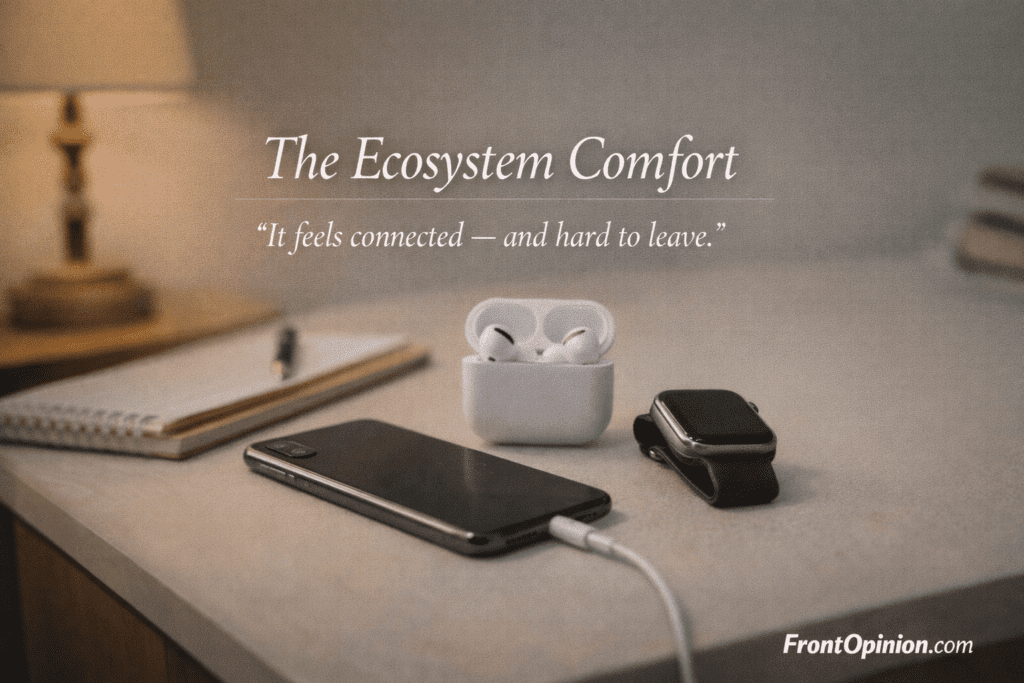
- AirPods connect instantly
- iCloud syncs photos
- Notes appear everywhere
Then it grows:
- Apple Watch feels necessary
- MacBook integration looks tempting
Ecosystem Convenience vs Freedom
For beginners, the ecosystem feels magical.
But there’s a hidden cost:
Leaving later becomes difficult.
- Data locked in iCloud
- Habits tied to Apple services
- Accessories unusable elsewhere
Opinion + Experience: 90-Day Beginner Reflection
After 3 months, beginners usually say one of these:
Group 1: “I Love It”
- Calm experience
- Reliable performance
- Zero learning curve
Group 2: “I Miss Android”
- Customization
- File control
- Faster charging
Both feelings are valid.
iPhone for Beginners – Extended Pros & Cons
✅ Pros (Long-Term Beginner View)
- Extremely stable OS
- No random crashes
- Excellent resale value
- Long software updates via Apple iOS
❌ Cons (Long-Term Beginner View)
- Limited control
- Expensive accessories
- Ecosystem lock-in
- Slower innovation feel
Who iPhone Becomes PERFECT For (After 90 Days)
iPhone becomes ideal if you:
- Value peace over power
- Hate troubleshooting
- Want phone to “just work”
- Prefer consistency over features
Who Starts Regretting iPhone After 90 Days
You may regret it if you:
- Love tinkering
- Flash ROMs or mods
- Transfer files frequently
- Expect fast charging
What “iPhone for Beginners” Really Means
An iPhone for beginners is not about specs.
It’s about experience.
Most beginners don’t care about:
- RAM
- Refresh rate
- Benchmarks
They care about:
- “Does it feel easy?”
- “Will it confuse me?”
- “Will it last years?”
Apple designs iPhones exactly for this mindset.
That’s why beginners often say:
“It feels simple… but expensive.”
First iPhone Impression: The Calm Surprise
When you turn on an iPhone for the first time, something feels unusual.
Not flashy.
Not aggressive.
Just… calm.
The screen doesn’t shout.
The animations don’t rush.
Nothing feels unfinished.
This is intentional design by Apple.
Real-World Analogy
Using an iPhone as a beginner feels like:
Entering a well-maintained hotel room
Everything is already placed where it should be.
Things That Feel AMAZING for iPhone Beginners
Let’s talk about what genuinely impresses beginners.
Smoothness You Feel, Not Measure
You don’t need to understand technology to notice this.
- Apps open smoothly
- Gestures feel natural
- Scrolling feels controlled
There’s no random lag.
For beginners, this builds instant trust.
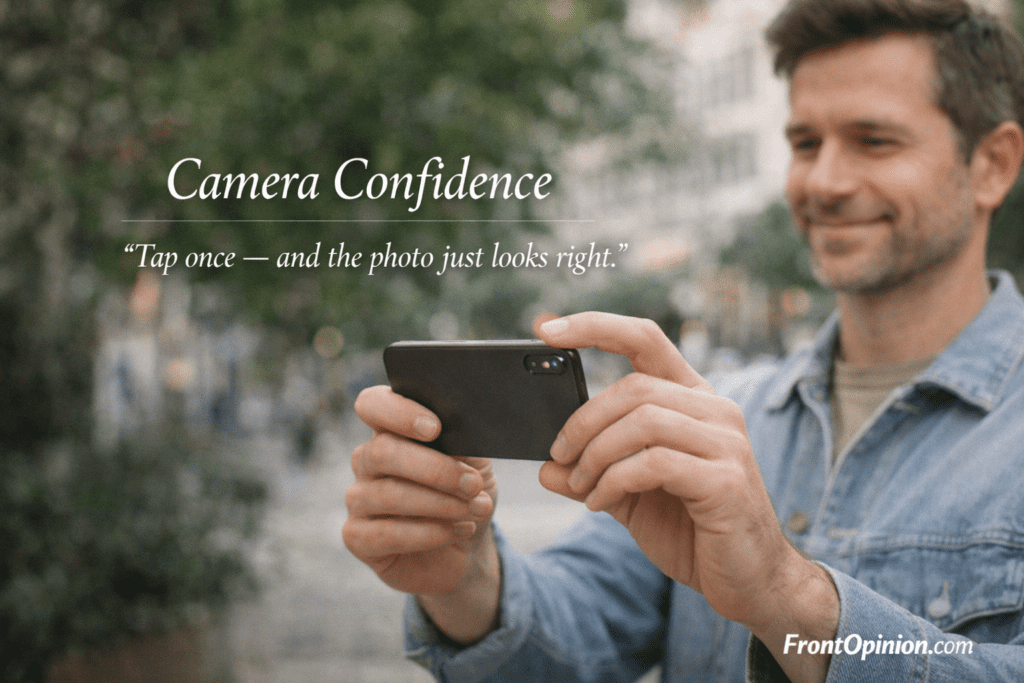
Camera That Works Without Learning Anything
For iPhone for beginners, the camera is one of the biggest wins.
You don’t need:
- Manual mode
- Exposure control
- Third-party camera apps
You tap → photo looks good.
That’s powerful for non-technical users.
Face ID Changes How Beginners Use Phones
Face ID feels almost invisible.
Beginners stop thinking about: iPhone for beginners
- Passwords
- Patterns
- Finger placement
You look → phone unlocks.
It feels modern without effort.
App Quality Feels Consistent
Beginners quickly notice:
- Apps rarely crash
- Layouts feel familiar
- Buttons behave predictably
Especially for:
- Banking apps
- Education apps
- Social media
This consistency reduces anxiety.
Why iPhone Feels Beginner-Friendly Instantly
Apple removes decisions.
That’s the secret.
- No default app chaos
- No launcher confusion
- No system-level tinkering
Beginners aren’t forced to “learn” the phone.
They simply use it.
When Frustration Quietly Begins
After a few days, beginners start noticing limits.
Not loudly.
Slowly.
“Why Can’t I Do This Simple Thing?”
Common beginner questions:
- Where are my downloaded files?
- Why can’t I send apps via Bluetooth?
- Why is ringtone setup so hard?
It feels restrictive.
Customization Shock (Especially for Android Users)
Beginners coming from Android feel this deeply.
- Icons locked to grid
- Limited widget freedom
- No launchers
You realize:
“This phone decides more than I do.”
Back Gesture Confusion Is Real
For beginners:
- Sometimes swipe works
- Sometimes button appears
- Sometimes nothing happens
It’s not broken — just inconsistent.
This takes time to adapt.
Opinion + Experience: Beginner Emotional Conflict
After the first week, beginners feel both emotions: iPhone for beginners
Love
- Stability
- Smoothness
- Premium feel
Frustration
- Control limits
- Apple’s rules
- Paid accessories
This mixed feeling defines the iPhone for beginners experience.
Pros & Cons (Beginner Perspective)
✅ Pros
- Extremely smooth performance
- Excellent camera with zero effort
- Strong privacy defaults
- Long software support
❌ Cons
- Limited customization
- File management confusion
- Expensive accessories
- Ecosystem lock-in
Who Should Buy iPhone as a Beginner?
iPhone is ideal if you:
- Want simplicity over control
- Prefer stability over features
- Use phone mainly for apps & camera
- Don’t enjoy tweaking settings
Who Should Avoid iPhone as a Beginner?
Avoid iPhone if you:
- Love customization
- Transfer files frequently
- Want fast charging & cheap accessories
- Prefer open systems
A Calm Phone, Not an Exciting One
After one month, most beginners say:
“Nothing goes wrong… but nothing surprises me either.”
Daily actions feel:
- Predictable
- Smooth
- Emotionally neutral
That’s not accidental.
That’s Apple’s design philosophy.
Everyday Tasks That Feel Effortless
For iPhone beginners, daily use becomes very simple: iPhone for beginners
- Unlock phone → Face ID works instantly
- Open apps → no lag
- Switch apps → no reload anxiety
- Notifications → limited, controlled
Your phone stops demanding attention.
For many beginners, this feels like relief.
Face ID: The Feature Beginners Don’t Appreciate at First
Face ID slowly changes behavior.
Beginners stop:
- Thinking about passwords
- Rechecking lock status
- Worrying about security
You don’t notice Face ID — and that’s why it’s powerful.
Real-Life Example
You pick up your phone → screen unlocks
No pause
No friction
No thinking
That’s luxury for beginners.
iPhone for Beginners: Battery Life (The Honest Reality)
Battery is where expectations vs reality collide.
Let’s be honest.
What Beginners Expect ❌
- 2-day battery
- 0–100% fast charging
- Battery percentage accuracy like Android
What Beginners Actually Get ✅
- Reliable 1 full day
- Slower but safer charging
- Battery health transparency
Battery Behavior Is Predictable (And That’s the Point)
For beginners, iPhone battery:
- Drains steadily
- Rarely overheats
- Doesn’t drop randomly
But charging feels slow — especially at night.
Apple prioritizes:
Battery lifespan over charging speed
Beginner Thought After 2 Weeks
“It’s not bad… but Android charged faster.”
That thought is common.
Charging & Accessories: The First Real Shock
This is where iPhone for beginners face their first regret moment.
Beginner Surprises
- No charger in the box
- Original cables cost more
- Cheap cables show warning popups
You quickly learn:
- Certified accessories matter
- Cheap alternatives feel risky
This is Apple’s ecosystem control in action.
Storage Reality: Beginners Notice This Late
Beginners often ignore storage at purchase.
Then reality hits.
- Photos fill space quickly
- iCloud prompts appear
- Storage warnings feel aggressive
Apple gently pushes cloud usage.
Beginner Reaction
“Why do I need to pay monthly now?”
This is normal.
File Management: The Biggest Beginner Confusion
This is the #1 complaint among iPhone beginners.
What Beginners Expect (From Android Experience)
- One clear “Files” folder
- Easy access to downloads
- Drag-and-drop freedom
What iPhone Actually Offers
- Files are app-based
- Downloads are hidden inside apps
- Sharing files feels indirect
Beginner Thought
“Why does this feel complicated for such a simple thing?”
Apple prioritizes security and simplicity, not flexibility.
Sharing Files & Media: Surprisingly Restrictive
For iPhone beginners, sharing feels modern… until it doesn’t.
What Works Well
- AirDrop (inside Apple world)
- Messaging media between iPhones
- iCloud sharing links
What Feels Frustrating
- Bluetooth sharing with Android
- Sending files to Windows PCs
- Sharing apps or folders
Beginners quickly learn:
iPhone works best with other Apple devices.
Ringtones, Music & Custom Sounds (Beginner Pain Point)
This surprises almost everyone.
Why Ringtones Feel Hard on iPhone
- No simple MP3 selection
- Requires extra steps or apps
- iTunes / GarageBand confusion
Beginner Reaction
“Why is this so complicated in 2026?”
Because Apple wants:
- Consistency
- Copyright control
- Paid content ecosystem
iPhone for Beginners: Common Mistakes Almost Everyone Makes
Let’s talk about mistakes that create unnecessary frustration.
Mistake 1: Buying Base Storage Model
Beginners often choose the cheapest variant.
Then:
- Photos eat storage
- System files grow
- iCloud prompts appear
Correct approach:
Always buy higher storage than you think you need.
Mistake 2: Ignoring iCloud Settings
iCloud is powerful — but dangerous if misunderstood.
Beginners:
- Don’t check sync options
- Accidentally delete synced data
- Don’t understand backup behavior
This leads to panic moments.
Mistake 3: Expecting Android-Level Freedom
Many beginners assume:
“I’ll learn it slowly and customize later.”
That freedom never arrives.
iPhone doesn’t unlock with time.
iPhone Myths Beginners Believe (And the Reality)
Let’s clear the confusion.
Myth 1: iPhones Never Lag
Reality:
They lag less — not never.
Heavy storage usage, old batteries, and major updates can slow things down.
Myth 2: iPhone Is Only for Rich Users
Reality:
iPhone is for people who value experience over experimentation.
Price ≠ personality.
Myth 3: iPhone Is Perfect for Everyone
Reality:
It’s perfect for specific users — especially beginners who want peace.
iPhone vs Android: Beginner Brain Comparison
This comparison matters.
Not specs.
Not benchmarks.
Feelings.
Android Feels Like:
- A toolbox
- Many options
- Learning required
iPhone Feels Like: iPhone for beginners
- An appliance
- Predictable
- No learning curve
For beginners, this difference is huge.
Opinion + Experience: When Beginners Truly Understand iPhone
Most beginners understand iPhone only after 2–3 months.
They realize:
- iPhone isn’t about features
- It’s about removing decisions
- It rewards obedience, not curiosity
This is not good or bad — just different.
Mid-Term Pros & Cons (Honest Beginner View)
✅ Pros
- Stress-free daily use
- Reliable performance
- Fewer technical decisions
- Strong long-term updates from Apple
❌ Cons
- Limited flexibility
- Learning curve for simple tasks
- Paid ecosystem pressure
- Difficult to exit later
Who Starts Loving iPhone More Over Time
iPhone grows on beginners who:
- Stop comparing with Android
- Accept Apple’s rules
- Value mental peace
- Use phone mainly for daily tasks
Who Gets More Frustrated Over Time
Frustration increases if you:
- Love customization
- Experiment with files
- Switch devices often
- Want system-level control
Who SHOULD Buy an iPhone (Beginner-Friendly Verdict)
An iPhone is excellent for beginners if you belong to these groups.
✅ Buy an iPhone if You Want Peace, Not Power
You’ll love iPhone if:
- You don’t enjoy tweaking settings
- You hate troubleshooting
- You want reliability over flexibility
- You prefer calm UI and stable apps
For these users, iPhone feels like relief.
✅ Perfect for Non-Technical Users
iPhone for beginners works best for:
- Students
- Parents
- Working professionals
- Senior citizens
Why?
Because:
- Fewer decisions
- Fewer errors
- Fewer things to break
✅ Ideal If You Plan Long-Term Use (3–5 Years)
iPhones shine over time.
- Long software support
- Strong resale value
- Stable performance
If you upgrade rarely, iPhone makes sense.
✅ Best If You Value Privacy Without Learning It
iPhone beginners don’t need to:
- Study permissions deeply
- Install security apps
- Manually block trackers
Privacy works in the background.
Who Should AVOID iPhone as a Beginner
Now let’s be equally honest.
❌ Avoid iPhone if You Love Customization
If you enjoy:
- Changing UI layouts
- Using launchers
- Deep personalization
You’ll feel restricted.
iPhone does not “open up” later.
❌ Avoid iPhone if You Transfer Files Often
iPhone is not friendly for:
- Bluetooth file sharing
- Drag-and-drop with Windows
- External storage flexibility
Android does this better.
❌ Avoid iPhone if You Like Experimenting
If you enjoy:
- Mods
- Custom ROMs
- Advanced controls
iPhone will feel boring — or frustrating.
❌ Avoid iPhone if Budget Flexibility Matters
Beginners often forget:
- Accessories cost more
- Repairs are expensive
- Storage upgrades are costly
iPhone rewards comfort, not cost-cutting.
Opinion + Experience: The Beginner Mindset Shift
Most iPhone beginners experience this shift:
Month 1
“Wow, this is smooth.”
Month 2
“Why can’t I do this simple thing?”
Month 3
“Okay… this is how Apple wants it.”
Acceptance defines happiness on iPhone.
FAQ: iPhone for Beginners | iPhone for beginners
1️⃣ Is iPhone good for beginners?
Yes. iPhone is one of the best smartphones for beginners who want simplicity, stability, and minimal learning.
2️⃣ Is iPhone difficult to use for Android users?
Initially, yes. Android users struggle with customization limits and file management, but many adapt within 1–2 months.
3️⃣ Does iPhone have better battery life than Android?
iPhone offers predictable one-day battery life, but Android phones often charge faster and offer larger batteries.
4️⃣ Can beginners customize iPhone later?
Customization remains limited even after long use. iPhone prioritizes consistency over flexibility.
5️⃣ Is iPhone worth the price for beginners?
Yes — if beginners value reliability and long-term use. No — if they want freedom and experimentation.
6️⃣ How long does it take to get used to iPhone?
Most beginners adapt within 2–4 weeks. Full acceptance usually happens by month three.
7️⃣ Should students buy iPhone as their first phone?
Yes, if budget allows. iPhone offers stability, security, and long-term support ideal for students.
Conclusion: Is iPhone for Beginners Worth It?
The Honest Answer: iPhone for beginners
iPhone is not exciting.
iPhone is dependable.
If you want:
- A phone that never fights you
- A phone that ages gracefully
- A phone that demands less attention
Then iPhone for beginners is worth it.
But if you want:
- Freedom
- Control
- Customization
You may feel restricted.