
Introduction: The First 10 Minutes With iOS
The first thing most people say after using an iPhone is simple:
“Wow… iOS feels smooth.”
Not fast.
Not powerful.
Not customizable.
Just smooth.
Apps open gently.
Scrolling feels controlled.
Nothing jumps, shakes, or surprises you.
And for the first few days—sometimes weeks—that smoothness feels like quality.
But here’s the honest truth most reviews avoid:
iOS feels smooth only until you start expecting it to behave like your device instead of Apple’s device.
That’s when tiny frictions appear.
Not bugs.
Not crashes.
Just moments where the smooth surface starts hiding something underneath.
Why “iOS Feels Smooth” Is Apple’s Strongest Weapon
Apple doesn’t sell features first.
It sells feeling.
The feeling that: iOS feels smooth
- Everything is under control
- Nothing will go wrong
- You don’t need to think
This is not accidental. It’s deeply engineered.
Smoothness Is a Design Philosophy
Apple designs iOS with one core belief:
“Users should never see complexity.”
So instead of giving you control, iOS gives you certainty.
- Fixed animations
- Limited background activity
- Strict app behavior
- Predictable UI patterns
This creates trust.
And trust feels smooth.
The Psychology Behind Why iOS Feels Smooth
Let’s talk psychology—not specs.
Human brains love: iOS feels smooth
- Predictability
- Visual consistency
- Gentle motion
iOS delivers all three extremely well.
Apple uses:
- Slight animation delays to hide loading
- Elastic scrolling to reduce perceived lag
- Locked gestures so nothing behaves unexpectedly
Analogy:
iOS is like a luxury automatic car.
You don’t feel the gear changes.
You don’t hear the engine struggle.
But you also don’t control much.
At first, that feels premium.
Later, it can feel… restrictive.
Smooth ≠ Fast ≠ Free
This is the first mental shift long-term users experience.
Yes, iOS feels smooth.
But smoothness comes from controlled behavior, not raw speed.
Apple prefers:
- Waiting 0.2 seconds if it looks better
- Closing apps if it saves battery
- Blocking actions if it prevents errors
That’s why iOS rarely feels chaotic.
But it’s also why power users slowly notice limits.
Opinion + Experience: The “Honeymoon Phase” of iOS
Almost every iOS user goes through this timeline:
Phase 1: Honeymoon (Days 1–14)
- Everything feels premium
- You admire the animations
- You trust the system blindly
Phase 2: Comfort (Weeks 3–8)
- You stop noticing smoothness
- iOS fades into the background
- You feel safe using it
Phase 3: Awareness (After 2–3 Months)
This is where things change.
You start asking:
- “Why can’t I place this icon here?”
- “Why did this app stop uploading?”
- “Why can’t I just access this file?”
Nothing is broken.
But something feels decided for you.
The Difference Between Polished and Flexible
This is the heart of the issue.
iOS is polished.
Android (by comparison) is flexible.
Apple believes most users don’t want choices.
They want outcomes.
So iOS removes: iOS feels smooth
- System-level access
- Deep customization
- Background freedom
In exchange, you get:
- Stability
- Battery life
- Visual harmony
And yes—smoothness.
Why Reviewers Rarely Talk About This
Most tech reviews focus on:
- Benchmarks
- Camera quality
- Update cycles
They don’t focus on: iOS feels smooth
- Daily friction
- Long-term habits
- Subtle limitations
Because those things don’t show up in specs.
They show up after months of use.
That’s why people say:
“I love my iPhone, but I can’t explain why I feel limited.”
You’re not imagining it.
Smoothness as a Trade-Off
This is important to understand:
iOS feels smooth because Apple removes variables.
Less freedom = fewer surprises.
Fewer surprises = smoother experience.
But removing variables also removes: iOS feels smooth
- Experimentation
- Personal workflows
- Deep control
This isn’t good or bad.
It’s a choice.
Real-World Analogy: Hotel vs Home
Think of iOS like a high-end hotel.
- Clean room
- Quiet environment
- Everything works
- Rules are clear
But you can’t:
- Rearrange the furniture
- Modify the wiring
- Decide how services run
Android is more like your own house.
Messier.
But yours.
When Smoothness Stops Impressing You
There’s a moment every long-term iOS user reaches.
Not dramatic.
Not angry.
Just… aware.
You’re using your iPhone like usual—replying to messages, switching apps, saving a file—and suddenly you think:
“Why did this take more effort than it should?”
That’s when the phrase “iOS feels smooth” quietly changes meaning.
It no longer means impressive.
It starts meaning controlled.
The Difference Between “Looks Smooth” and “Works Naturally”
iOS is excellent at looking smooth.
But daily life is about: iOS feels smooth
- Speed of intent
- Freedom of action
- Reduced friction
And this is where smoothness sometimes works against you.
Example:
You switch between apps quickly.
- The animation is beautiful
- The transition is calm
- But the app reloads
Not because your phone is weak.
Because iOS decided it shouldn’t stay active.
Smooth to the eye.
Interrupted in reality.
Opinion + Experience: App Switching Fatigue
On paper, multitasking exists in iOS.
In practice, it’s selective.
Apps are often:
- Suspended
- Paused
- Refreshed
So you experience things like:
- Forms reloading
- Uploads restarting
- Apps forgetting state
You don’t notice this on Day 1.
You notice it on Day 90.
That’s when iOS feels smooth, but your workflow doesn’t.
The Hidden Cost of Background Control
Apple tightly controls what apps can do in the background.
This helps:
- Battery life
- Thermal stability
- Security
But it also means: iOS feels smooth
- Automation is unreliable
- Cloud sync isn’t instant
- Long tasks feel fragile
Real-life example:
You upload a large video.
- You switch apps
- Lock the screen
- Assume it’s still uploading
It’s not.
iOS protected itself.
Not your task.
Why This Doesn’t Bother Everyone
Here’s the key insight:
Most users don’t push their phones.
They:
- Scroll
- Message
- Watch
- Tap
For them, iOS feels flawless.
But if you: iOS feels smooth
- Work from your phone
- Manage files
- Depend on background tasks
You feel the limits.
Smoothness becomes predictable restraint.
First Time Using a Mac – 9 Ultimate Honest Beginner Opinion
Notifications: Clean, Calm… and Easy to Miss
At first glance, iOS notifications are elegant.
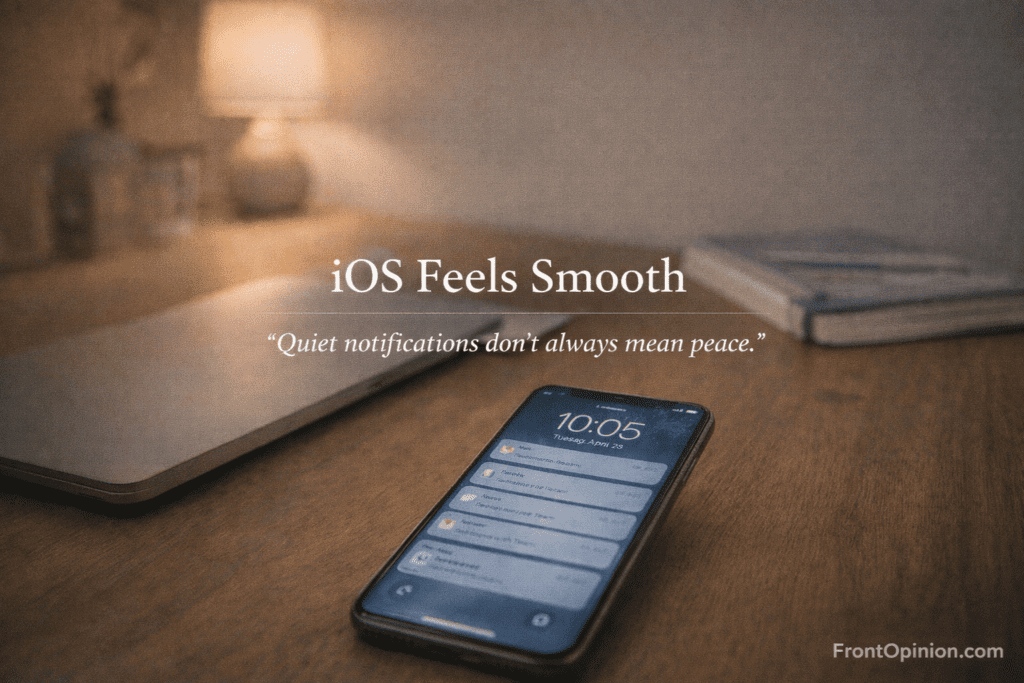
Grouped.
Quiet.
Non-intrusive.
But over time, you realize:
- Important alerts hide behind stacks
- Delivery timing feels passive
- You check apps instead of trusting alerts
iOS prefers less interruption over urgency.
That’s great for peace.
Not great for responsiveness.
The “Apple Knows Best” Feeling
This is subtle—but powerful.
iOS constantly makes decisions for you:
- When apps sleep
- How files are shared
- Which actions are allowed
You rarely get a clear “why”.
There’s no error message.
No explanation.
Things just… don’t happen.
This is intentional.
Apple removes complexity by removing choice visibility.
File Handling: Where Smoothness Turns Into Walls
Daily file usage on iOS feels okay—until it doesn’t.
You can:
- Save files
- Share files
- View files
But you can’t:
- Treat storage like a system
- Move freely between app spaces
- Understand where things actually live
The Files app looks friendly.
But it behaves like a sandbox manager, not a file system.
For casual use, it’s fine.
For frequent use, it’s tiring.
Keyboard & Input: Subtle Friction Builds
Typing on iOS feels good—initially.
Then you notice:
- Autocorrect fighting your intent
- Limited clipboard access
- Third-party keyboards behaving inconsistently
You start typing for the system, not yourself.
Again—nothing is broken.
But the system doesn’t bend easily.
Smoothness Reduces Anxiety—but Also Curiosity
This is rarely discussed.
iOS removes:
- Fear of breaking things
- Need to understand how things work
But it also removes:
- Learning opportunities
- Exploration
- Ownership feeling
You become a user, not an operator.
Some people love that.
Others slowly feel disconnected.
The Daily Pattern That Exposes the Truth
After months, many users fall into this loop:
- iOS feels reliable
- You trust it blindly
- You stop trying new workflows
- You adapt to limitations
- You call it “smooth”
That’s not a flaw.
But it’s a trade.
Smoothness as a Lifestyle Choice
At this point, it becomes clear:
Choosing iOS isn’t choosing a phone.
It’s choosing:
- Calm over control
- Safety over flexibility
- Stability over experimentation
That’s why iOS feels smooth—
because friction has been pre-removed.
Even friction you might want.
When Smoothness Starts Blocking You
By now, you’re no longer impressed by animations.
You’re trying to get things done.
And this is the phase where many users realize something uncomfortable:
iOS feels smooth, but it doesn’t always feel cooperative.
Not because it’s slow.
Not because it’s buggy.
But because control is intentionally capped.
Performance: Smooth on the Surface, Selective Underneath
Let’s clear a common misunderstanding.
iPhones are powerful.
Apple silicon is genuinely fast.
Yet performance in iOS is permission-based, not demand-based.
You don’t decide:
- Which app stays active
- How long a process runs
- What happens when memory fills
iOS decides.
The Result?
- Apps reload instead of resume
- Background tasks silently pause
- Multistep workflows break
To your eyes, everything still looks smooth.
But to your productivity, something is missing.
The Performance Illusion Explained Simply
Think of iOS like a traffic controller.
Instead of letting cars move freely, it:
- Limits lanes
- Controls speed
- Stops traffic to avoid accidents
That prevents crashes.
But it also means:
- You can’t rush when needed
- Emergency detours don’t exist
- Everything moves at Apple’s pace
That’s why iOS feels smooth—
because chaos is disallowed.
Customization: Where the Walls Are Most Visible
Customization is where long-term users feel boxed in the most.
Yes, Apple added widgets.
Yes, app icons can be hidden.
But the foundation remains locked.
You still can’t:
- Place icons freely
- Change system gestures
- Modify default UI behavior
- Replace core system apps fully
The grid is sacred.
The gestures are fixed.
The rules don’t bend.
At first, you don’t care.
Later, you feel it every day.
Why Apple Restricts Customization
Apple’s logic is simple:
More customization = more edge cases
More edge cases = more bugs
More bugs = less trust
So Apple trades user freedom for system confidence.
That’s not laziness.
That’s philosophy.
But philosophy doesn’t help when:
- Your workflow doesn’t fit
- Your habits evolve
- Your needs grow
Smoothness stays.
Flexibility doesn’t.
System-Level Control: The Missing Layer
On iOS, you live above the system.
Never inside it.
You can’t:
- Inspect system behavior
- Override app permissions deeply
- Control network usage granularly
- Modify automation without limits
Even Shortcuts—Apple’s automation tool—
operates inside strict boundaries.
It’s powerful for iOS.
Weak compared to real automation.
File System Reality: Safe, Separated, and Confusing
This is where many users quietly give up.
Each app has its own sandbox.
Files live inside apps, not the system.
So you end up:
- Sharing instead of moving
- Duplicating instead of organizing
- Searching instead of structuring
The Files app looks universal.
But it isn’t.
It’s a viewer, not a controller.
Multitasking: Present, But Not Trustworthy
Split View and Slide Over exist.
But they don’t change the core rule:
iOS multitasking is visual, not operational.
You can see two apps.
But both can still be paused.
So:
- One refreshes unexpectedly
- One loses state
- One forgets what you were doing
This breaks trust.
You stop depending on multitasking.
You adapt by simplifying tasks.
Why Many Users Don’t Notice These Limits
Because they don’t cross them.
If you:
- Use one app at a time
- Consume content
- Communicate casually
iOS feels flawless.
The limits only appear when you:
- Chain tasks together
- Rely on persistence
- Expect systems to remember context
Power users notice.
Casual users don’t.
That’s why opinions about iOS vary wildly.
The Control Tax of iOS Smoothness
Every smooth experience in iOS has a cost.
| Smooth Feature | Hidden Cost |
|---|---|
| App suspension | Lost state |
| Animation delays | Slower task flow |
| Sandbox security | File friction |
| Background limits | Broken automation |
| Locked UI | Reduced ownership |
None of these are bugs.
They’re prices.
When Users Start Blaming Themselves
This is the most subtle effect.
Instead of saying:
“The system should allow this”
Users think:
“Maybe I’m using it wrong”
That’s powerful design.
iOS trains users to adapt downward, not push upward.
Smoothness becomes a ceiling.
When Software Smoothness Turns Into Lifestyle Commitment
By the time you reach this stage, you’re no longer just using iOS.
You’re living inside Apple’s ecosystem.
Your photos are in iCloud.
Your backups depend on Apple servers.
Your accessories “just work” — but only here.
This is where many users realize:
iOS feels smooth because everything around it is designed to pull you deeper.
And smoothness becomes a subscription.
The Accessory Dependency Truth
Apple never forces you to buy accessories.
It simply rewards you heavily if you do.
- AirPods switch seamlessly
- Apple Watch unlocks your phone
- Mac integrates effortlessly
- iCloud sync feels invisible
Without these?
- Things still work
- But they feel clunky
- Slightly incomplete
This is intentional design.
Apple doesn’t lock doors.
It makes other doors uncomfortable.
Dongles, Adapters, and the “Premium Friction” Model
Let’s talk about physical reality.
Over time, iOS users accumulate:
- USB-C / Lightning adapters
- Audio dongles
- Certified cables
- MagSafe accessories
Each solves a small problem created by design choices.
Individually, they’re minor.
Collectively, they’re ecosystem rent.
iCloud: Convenience That Quietly Becomes Mandatory
At first, iCloud feels optional.
Then:
- Backups fail without it
- Photos fill local storage
- Device switching feels painful
So you upgrade storage.
Not because you want luxury.
Because the system nudges you.
This is one of Apple’s smartest moves.
Storage becomes:
- Invisible
- Automatic
- Emotionally necessary
And once you’re in, leaving feels risky.
Cost vs Benefit Analysis
Let’s be honest.
Apple products last long.
Updates are consistent.
Resale value is strong.
But the total cost of ownership is higher.
Not just money.
Also:
- Learning cost
- Switching cost
- Dependency cost
You don’t notice it monthly.
You notice it when you think about leaving.
The Lock-In Isn’t Technical — It’s Psychological
This is important.
You can leave Apple.
But you hesitate because:
- Everything works together
- Your habits are tuned to iOS
- You fear losing convenience
Apple doesn’t trap users.
It comforts them into staying.
That’s more effective.
Why Many Users Defend the Ecosystem Fiercely
When people criticize iOS, some users get defensive.
Why?
Because leaving iOS isn’t just switching a phone.
It’s:
- Rebuilding workflows
- Relearning habits
- Accepting rough edges
So they defend the smoothness.
Not out of blind loyalty.
Out of comfort preservation.
The Ecosystem Equation Simplified
Here’s the real trade:
Apple gives you:
- Seamlessness
- Stability
- Predictability
You give Apple:
- Freedom
- Money over time
- Exit difficulty
Neither side is evil.
But both sides matter.
Who This Ecosystem Truly Works For
The ecosystem is perfect if you:
- Use multiple Apple devices
- Value minimal friction
- Hate troubleshooting
- Prefer consistency over choice
It becomes frustrating if you:
- Mix brands
- Use niche tools
- Change workflows often
- Value customization
Smoothness has prerequisites.
The Comfort Ceiling
Here’s the concept most people feel but don’t name:
Comfort ceiling.
iOS and its ecosystem make life easier—
up to a point.
Beyond that point:
- Growth slows
- Experimentation drops
- Curiosity fades
You’re comfortable.
But not empowered.
The Moment Users Start Asking “Is It Worth It?”
This question doesn’t come early.
It comes after:
- Buying accessories
- Paying for storage
- Adapting habits
- Accepting limits
Only then do users ask:
“Am I paying for quality—or for comfort?”
The answer is usually: both.
Setting Up the Final Decision
At this stage, users fall into two groups:
- Committers — happy, loyal, satisfied
- Questioners — content, but curious
Neither is wrong.
But both deserve clarity.
Let’s Step Back and Be Honest
After everything we’ve covered, one thing should be clear:
iOS feels smooth by design — not by accident.
That smoothness is real.
It’s engineered.
It’s intentional.
But it’s also selective.
iOS doesn’t try to be everything for everyone.
It chooses a type of user — and serves them extremely well.
The problem starts when users outside that group expect iOS to adapt.
It won’t.
The Big Truth Most Reviews Skip
Here’s the simplest way to summarize the entire experience:
iOS feels smooth when your needs align with Apple’s assumptions.
It feels frustrating when they don’t.
Apple assumes you want:
- Simplicity over control
- Stability over experimentation
- Convenience over customization
If that’s you, iOS is exceptional.
If that’s not you, the smoothness eventually feels like a ceiling.
Pros + Cons

✅ Pros of iOS (Why People Love It)
- Extremely polished user experience
- Long-term software updates
- Strong privacy and security defaults
- Predictable performance
- Excellent ecosystem integration
- Minimal learning curve
These are not marketing points.
They’re lived realities for millions of users.
❌ Cons of iOS (What Long-Term Use Reveals)
- Limited customization
- Restricted background activity
- File system friction
- Automation boundaries
- Ecosystem dependency
- Higher total cost over time
None of these ruin the experience.
But they shape it.
Who iOS Is Best For (Be Honest With Yourself)
iOS is a great choice if you:
- Want a phone that never overwhelms you
- Value calm, predictable behavior
- Use your phone mainly for communication and consumption
- Prefer design consistency
- Already own Apple products
- Don’t want to “tinker”
For these users, iOS feels smooth forever — not just at first.
Who Should Avoid iOS (or At Least Think Carefully)
You may struggle with iOS if you:
- Enjoy deep customization
- Rely on background automation
- Handle files frequently
- Build complex workflows
- Prefer system-level control
- Switch tools and habits often
For these users, smoothness slowly turns into friction you can’t remove.
Accessory Dependency: The Honest Reality
Let’s call this out clearly.
You don’t need:
- Apple Watch
- AirPods
- iCloud storage
But iOS works best when you have them.
Without accessories:
- The experience is fine
With accessories: - The experience feels complete
That difference matters — especially long-term.
This isn’t manipulation.
It’s ecosystem strategy.
Cost vs Benefit: Is iOS “Worth It”?
This depends on how you measure value.
iOS is worth it if you value:
- Time saved
- Mental peace
- Stability
- Longevity
iOS feels expensive if you value:
- Freedom
- Control
- Custom workflows
- Experimentation
The cost isn’t just money.
It’s choice.
Why Many Users Stay Even After Noticing the Limits
This is important.
Most users don’t leave iOS once they notice its limits.
Why?
Because:
- The smoothness is comforting
- The ecosystem reduces friction
- The alternatives feel chaotic
So users adapt.
They don’t fight iOS.
They work around it.
And eventually, that feels normal.
The Core Question You Should Ask Yourself
Before choosing (or continuing with) iOS, ask this:
Do I want my phone to adapt to me — or do I want to adapt to my phone?
iOS rewards adaptation.
If you’re okay with that, it’s one of the best platforms available.
If not, it will quietly frustrate you — without ever breaking.
Final Verdict (Clear & Honest)
iOS feels smooth — and that smoothness is real, valuable, and intentional.
But it’s not free.
You pay with:
- Flexibility
- Control
- System-level freedom
For many users, that trade is worth it.
For others, it’s a compromise they didn’t realize they were making.
Neither choice is wrong.
But blind loyalty is.