Introduction: My Real iOS Experience After Long-Term Use
The iOS experience is often praised as smooth, secure, and premium. Many people say once you start using an iPhone, it’s hard to go back. After spending years switching between different smartphones, I can confidently say that the iOS experience feels different from the very first interaction.
Everything looks polished. Apps respond instantly. Updates arrive on time. Security feels reassuring. Yet, after daily use, another question slowly appears in your mind: is the iOS experience smooth because it’s well designed, or because it’s tightly controlled?
This blog is not written from a marketing angle. It’s written from real usage, honest opinion, and everyday experience. If you are planning to buy an iPhone, switch from Android, or simply understand how iOS really feels in daily life, this guide is for you.
What Is the iOS Experience?
The iOS experience refers to how users interact with Apple’s mobile operating system in real life. It’s not just about icons or gestures. It includes:
- How smoothly apps open and close
- How consistent the interface feels
- How secure personal data is
- How often updates arrive
- How much control the user really has
Unlike other mobile systems, iOS is built exclusively for Apple devices. This means the same company controls the hardware, software, updates, and even the app store.
This tightly integrated approach is what defines the iOS experience — for better and for worse.
Why Apple Built iOS the Way It Did
Apple never wanted iOS to be “everything for everyone.” Instead, the goal was simple:
Make a phone that works reliably for the maximum number of people.
To achieve that, Apple focused on three core principles:
- Consistency over customization
- Security over flexibility
- Simplicity over complexity
The iOS experience is intentionally controlled. Apple decides:
- What apps can do
- How background processes work
- How system files are accessed
- How customization is allowed
This philosophy explains why iOS feels stable but also why some users feel restricted.
First Impressions of the iOS Experience
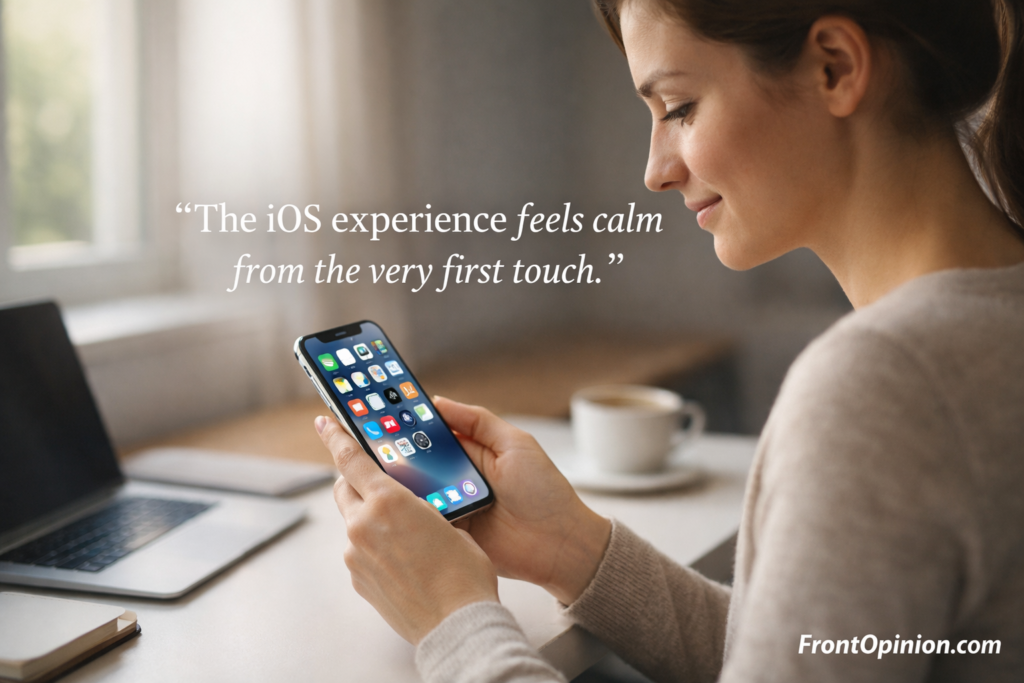
When you use an iPhone for the first time, the iOS experience feels calm and clean.
There is no clutter.
No unnecessary options.
No confusing menus.
Even someone using a smartphone for the first time can understand iOS quickly. This is not accidental — it’s deliberate design.
What You Notice Immediately:
- Smooth animations
- Predictable gestures
- Clean typography
- Uniform app behavior
The iOS experience feels less like a gadget and more like a finished product.
iPhone for Students: 9 Essential Truths That Reveal a Smart Choice or a Costly Mistake
Opinion + Real-Life Usage Perspective
From daily use, the biggest strength of the iOS experience is reliability.
Apps rarely crash.
Updates rarely break features.
The phone behaves the same way every day.
This consistency builds trust. You stop worrying about your phone and simply use it.
However, over time, some limitations become noticeable — especially if you like control.
You may start asking:
- Why can’t I change this default app?
- Why is file access so limited?
- Why do background apps behave so strictly?
These questions don’t appear on day one. They appear after long-term usage.
Why iOS Feels Different From Day One
To understand the iOS experience, imagine this analogy:
iOS is like a high-speed train running on a private track.
- The route is fixed
- The system is controlled
- Delays are rare
- Safety is high
You reach your destination smoothly, but you can’t change the track.
Other systems offer more freedom, but freedom often brings inconsistency. Apple removes that uncertainty by controlling everything.
This design decision defines the entire iOS experience.
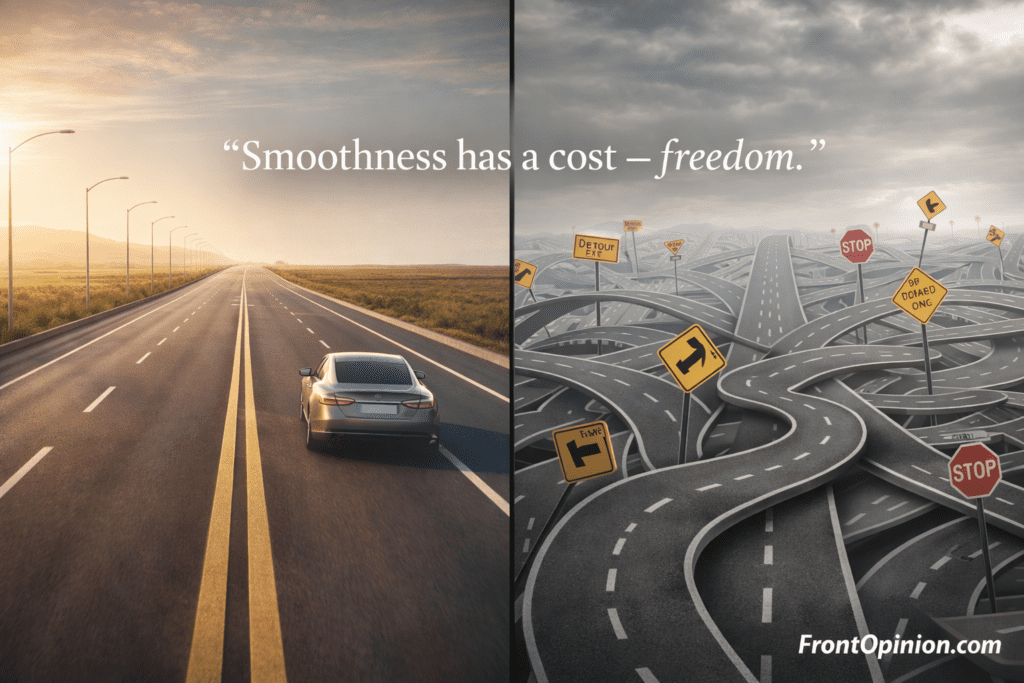
Smoothness vs Freedom: The Core Idea
The biggest debate around the iOS experience can be summarized in one sentence:
iOS works smoothly because Apple limits what users and apps can do.
This creates a trade-off:
| Smoothness | Freedom |
|---|---|
| High | Limited |
| Predictable | Restricted |
| Secure | Controlled |
Some users love this.
Some users hate it.
Most users don’t even notice it.
That’s why opinions about the iOS experience vary so widely.
The Role of iOS Software Optimization
iOS is optimized for a small number of devices. Unlike platforms that run on hundreds of brands, iOS only supports Apple hardware.
This allows:
- Better memory management
- Faster updates
- Longer device lifespan
Even older iPhones often run the latest iOS version smoothly. This is one reason many users stick with the iOS experience for years.
Why the iOS Experience Feels Smoother Than Most Smartphones
One of the first things people notice about the iOS experience is how effortless everything feels. Apps open instantly, scrolling feels natural, and animations never seem rushed or jittery.
This smoothness isn’t magic. It’s the result of tight control and deep optimization.
Apple designs:
- The hardware
- The operating system
- The processor
- The animations
- Even the gesture timing
Because of this, the iOS experience avoids one major problem most smartphones face: fragmentation.
Hardware and Software Working as One
Apple controls both sides of the equation — hardware and software. That single decision shapes the entire iOS experience.
Instead of building iOS for hundreds of different phones, Apple builds it for a very small, specific lineup.
What This Means in Daily Use:
- Apps are optimized for fewer screen sizes
- Animations are tuned to exact hardware limits
- Memory usage is predictable
- Battery drain is controlled
As a result, even phones that are several years old still feel responsive.
This long-term performance is one of the strongest reasons people stay loyal to the iOS experience.
The Psychology of Smooth Animations
Smoothness isn’t only about speed. It’s also about how movement feels.
iOS animations are intentionally:
- Slightly slower
- More fluid
- More consistent
This creates a sense of stability. Your brain interprets this as “premium” and “reliable,” even if the phone isn’t technically faster on paper.
That’s a subtle but powerful part of the iOS experience.
Real-World Example: Why iOS Feels Faster Even When It Isn’t
Imagine two elevators:
- One moves fast but shakes
- The other moves slightly slower but smoothly
Most people prefer the second one.
That’s exactly how the iOS experience works. Apple prioritizes perceived performance, not just raw speed.
iOS Experience and Long-Term Performance Stability
Many users report the same thing:
“My iPhone still feels smooth after years of use.”
This is not accidental.
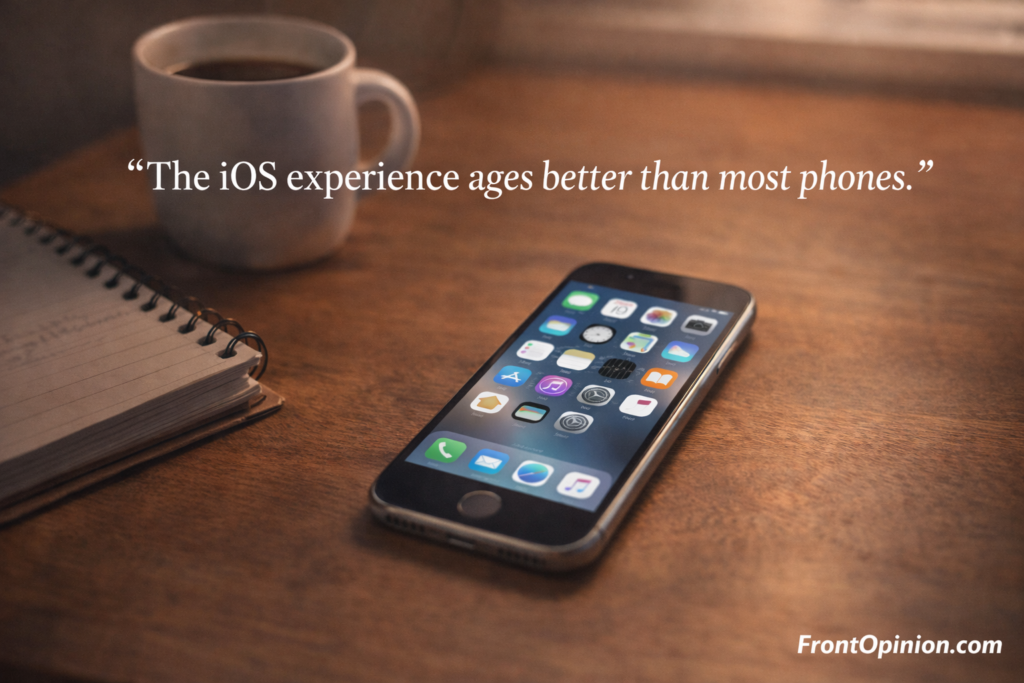
Why iOS Ages Better:
- Strict background app limits
- Aggressive memory management
- Fewer system-level modifications
- Controlled app behavior
Apps can’t endlessly run in the background or drain resources. While this limits flexibility, it protects performance.
This balance is central to the iOS experience.
Security: The Backbone of the iOS Experience
Security is not an add-on in iOS. It is built into the foundation.
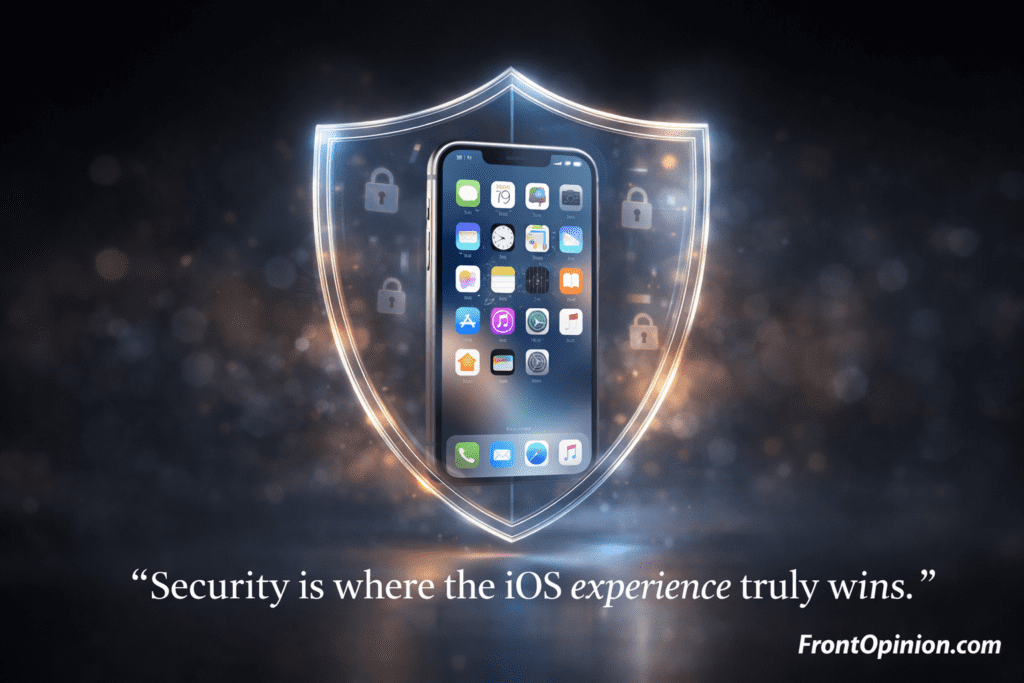
Every part of the iOS experience is designed with the assumption that:
- Phones get lost
- Apps can be malicious
- Users make mistakes
Apple designs iOS to reduce damage before it happens.
How iOS Protects User Data
Key security features that define the iOS experience:
- App sandboxing (apps can’t access each other’s data)
- Permission-based access (camera, mic, location)
- Secure Enclave for biometric data
- On-device processing for sensitive data
Even Apple itself cannot access Face ID or Touch ID data. It stays on the device.
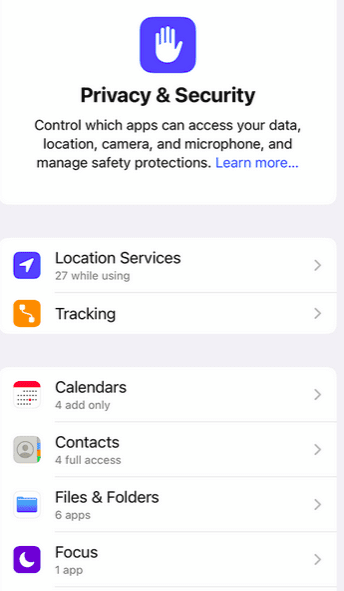
This level of security is rare in consumer technology.
App Sandboxing: Why It Matters
Every app in iOS runs inside its own “box.”
This means:
- A malicious app can’t read your messages
- A buggy app can’t crash the system
- One app can’t spy on another
While this restricts app functionality, it dramatically improves safety.
This is one reason malware is far less common on iPhones — a major win for the iOS experience.
Privacy: Marketing vs Reality
Apple talks a lot about privacy. But is it real?
In daily use, the iOS experience gives users:
- Clear permission prompts
- App tracking transparency
- Location access controls
- Microphone and camera indicators
You always know when and why an app wants access.
This transparency builds trust, especially for non-technical users.
Is iOS the Most Secure Mobile OS?
iOS is widely considered one of the most secure consumer operating systems — not because it’s unhackable, but because it limits damage.
Security in iOS is based on:
- Prevention
- Isolation
- Rapid updates
When vulnerabilities appear, Apple pushes updates quickly — often to devices that are 5–6 years old.
That long update cycle significantly strengthens the iOS experience.
Security vs Control: The Trade-Off Begins
Here’s where opinions start to divide.
To keep iOS secure, Apple restricts:
- App behavior
- System access
- File management
- Background processing
These restrictions protect average users but frustrate advanced ones.
So while security is a clear advantage, it’s also the beginning of the “too closed” debate around the iOS experience.
Why Background Apps Behave Differently on iOS
On iOS:
- Apps pause when not in use
- Background tasks are limited
- System resources are protected
This helps:
- Battery life
- Performance stability
- System security
But it also means:
- Fewer automation options
- Limited system-level customization
Again, smoothness wins over freedom.
Battery Efficiency and the iOS Experience
Another underrated benefit of strict control is battery performance.
Because apps can’t freely run in the background:
- Battery drain is predictable
- Idle power usage is low
- Overnight drain is minimal
Many users notice that iPhones hold standby battery better than competitors. That’s part of the iOS experience working quietly in the background.
The “Too Closed” Question Around the iOS Experience
By now, it’s clear why the iOS experience feels smooth and secure. But this same design philosophy also creates frustration — especially after long-term use.
Many users don’t complain on day one.
They complain after months or years, when they try to do more with their phone.
That’s when the question appears:
Is the iOS experience protecting me… or restricting me?
What Does “Too Closed” Actually Mean?
When people say iOS is “too closed,” they usually mean:
- Limited customization
- Restricted system access
- Apple-controlled app distribution
- Strict background behavior
- Heavy ecosystem dependence
None of these are bugs.
They are intentional design choices.
App Store Control: Safety or Gatekeeping?
The App Store is the only official way to install apps on iOS.
This has two major effects on the iOS experience:
✅ The Good
- Very low malware risk
- Higher app quality standards
- Strong user privacy rules
❌ The Bad
- Apps must follow Apple’s rules
- Certain features are simply not allowed
- Developers have limited freedom
If Apple disapproves of an app’s functionality or business model, it may never reach users — no matter how useful it is.
This is one of the strongest reasons critics call the iOS experience “locked down.”
Why Sideloading Is Still a Big Issue
On iOS, installing apps from outside the App Store is extremely limited.
For regular users:
- It’s confusing
- It’s restricted
- It’s discouraged
This protects most users — but frustrates:
- Developers
- Tech enthusiasts
- Power users
On other platforms, sideloading is normal. On iOS, it feels like you’re breaking rules just to install software you trust.
That tension defines the closed nature of the iOS experience.
Customization: How Much Control Do You Really Have?
Apple has improved customization over the years — but only to a point.
You can:
- Add widgets
- Rearrange icons
- Change wallpapers
- Use focus modes
But you cannot:
- Change system launchers
- Modify core UI behavior
- Deeply customize gestures
- Fully control system-level automation
Compared to open platforms, the iOS experience still feels curated rather than customizable.
The File System: Where Power Users Feel Trapped
One of the most common complaints about the iOS experience is file management.
On iOS:
- Apps manage their own files
- Cross-app file access is limited
- System folders are hidden
- External storage support is restricted
For average users, this isn’t a problem.
For advanced users, it feels suffocating.
You don’t “own” the file system — you’re allowed to visit it.
Background Apps and Automation Limits
From a performance standpoint, iOS background restrictions make sense.
From a usability standpoint, they can be annoying.
On iOS:
- Apps pause aggressively
- Automation is limited
- Persistent background tasks are rare
This protects battery life and security — but limits creativity.
If you enjoy:
- Deep automation
- System-wide shortcuts
- Advanced workflows
The iOS experience may feel restrictive.
Ecosystem Lock-In: Convenience or Dependence?
Once you enter the Apple ecosystem, the iOS experience becomes smoother — but leaving becomes harder.
Features like:
- AirDrop
- iMessage
- iCloud sync
- Apple Watch integration
Work brilliantly only within Apple devices.
This creates comfort — but also dependency.
Many users don’t stay because they want to.
They stay because leaving feels inconvenient.
Default Apps and Apple’s Preferences
For years, Apple limited the ability to change default apps.
While things have improved, some defaults are still deeply embedded.
This reinforces the idea that:
- Apple decides what’s “best”
- Users adapt to Apple’s vision
Again, this keeps the iOS experience simple — but less flexible.
Power Users vs Everyday Users
This is where opinions diverge sharply.
Everyday Users Say:
- “It just works.”
- “I feel safe.”
- “I don’t need customization.”
Power Users Say:
- “I feel limited.”
- “I want more control.”
- “I know what I’m doing.”
The iOS experience is optimized for the majority, not the minority.
And that’s a conscious choice.
Is the Closed System a Flaw or a Feature?
Here’s the uncomfortable truth:
The iOS experience is smooth because it’s closed.
If Apple opened everything:
- Performance would suffer
- Security risks would increase
- Consistency would break
Apple believes most users prefer reliability over freedom.
Whether you agree with that belief defines how you feel about iOS.
Real-Life Scenario: When iOS Feels Limiting
Imagine this situation:
You want to:
- Download a niche app
- Customize system behavior
- Access files freely
- Automate complex tasks
On iOS, you’ll likely hit a wall.
Not because you’re wrong — but because Apple doesn’t want users going there.
That’s when the iOS experience feels restrictive.
Who Feels the “Closed” Nature the Most?
The closed side of the iOS experience is most noticeable for:
- Developers
- Tech enthusiasts
- Advanced users
- Android switchers
- Customization lovers
If you fall into one of these groups, iOS may feel beautiful — but frustrating.
The iOS Experience vs Android: A Philosophy Clash
Before deciding whether the iOS experience is right for you, it’s important to understand one thing:
👉 This is not a specs battle.
👉 This is a philosophy battle.
Apple and Android follow completely different beliefs about how a smartphone should behave.
- iOS believes in control, consistency, and safety
- Android believes in freedom, flexibility, and customization
Neither is objectively right or wrong — they are built for different kinds of users.
iOS Experience vs Android Experience
| Aspect | iOS Experience | Android Experience |
|---|---|---|
| Performance | Smooth & consistent | Depends on device |
| Security | Very high | Good, varies by brand |
| Customization | Limited | Extensive |
| App Freedom | Restricted | Open |
| Updates | Fast & long-term | Fragmented |
| Ease of Use | Extremely simple | Can be complex |
| Ecosystem | Strong but closed | Flexible |
The iOS experience focuses on predictability, while Android focuses on possibility.
Pros and Cons of the iOS Experience
✅ Pros of the iOS Experience
Let’s start with why millions of people love iOS.
1. Exceptional Smoothness
- Fluid animations
- Consistent UI behavior
- Minimal lag even after years
2. Industry-Leading Security
- Strong app sandboxing
- Encrypted biometric data
- Fast security updates
3. Long-Term Software Support
- 5–6 years of updates
- Older devices stay usable
- Better resale value
4. Simple and Predictable
- Easy for beginners
- No confusing system settings
- Reliable daily behavior
5. Premium Ecosystem Integration
- Seamless device connectivity
- Strong continuity features
- Excellent hardware-software harmony
These strengths make the iOS experience incredibly attractive to everyday users.
❌ Cons of the iOS Experience
Now the honest drawbacks.
1. Limited Customization
- No custom launchers
- Limited gesture control
- System UI is mostly fixed
2. App Store Restrictions
- Apple decides what apps can do
- Sideloading is discouraged
- Developer freedom is limited
3. File System Limitations
- No true system-level access
- Cross-app file handling is restricted
- External storage support is weak
4. Ecosystem Lock-In
- Best features work only with Apple devices
- Leaving the ecosystem feels inconvenient
- Accessories and services are expensive
These issues are why some users feel the iOS experience is too closed.
Who Should Buy an iPhone?
The iOS experience is ideal if you:
✔ Want a phone that “just works”
✔ Value privacy and security
✔ Prefer smooth performance over customization
✔ Keep phones for many years
✔ Use multiple Apple devices
✔ Don’t want to tweak system settings
If your priority is peace of mind, iOS is hard to beat.
Who Should Avoid the iOS Experience?
You may want to avoid iOS if you:
❌ Love deep customization
❌ Install apps from many sources
❌ Modify system behavior
❌ Use advanced automation workflows
❌ Want full file system control
❌ Prefer open ecosystems
For these users, the iOS experience can feel beautiful — but frustrating.
Real-Life Decision Guide
Ask yourself this one question:
Do I want my phone to be a tool I control — or a service that protects me?
- If you want control → iOS may feel restrictive
- If you want reliability → iOS will feel perfect
That answer alone can save you years of regret.
Is the iOS Experience Worth It in 2026?
Yes — for the right user.
The iOS experience has matured into a stable, secure, long-term platform. Apple has improved customization slightly, but the core philosophy remains unchanged.
Apple still believes:
- Less choice = fewer problems
- Control = quality
- Simplicity = satisfaction
That belief shapes every part of iOS.
The Final Verdict: Smooth, Secure — and Intentionally Closed
Here’s the most honest verdict possible:
The iOS experience is smooth and secure precisely because it is closed.
Apple didn’t accidentally restrict users.
Apple intentionally did it.
For most people, this results in:
- Fewer bugs
- Fewer security risks
- Less confusion
- Better long-term satisfaction
For power users, it results in:
- Frustration
- Workarounds
- Compromises
So the real issue isn’t whether iOS is good or bad.
👉 The real issue is whether it matches you.
Frequently Asked Questions (FAQs)
1. Is the iOS experience better than Android?
It depends on your priorities. iOS excels in smoothness and security, while Android excels in freedom and customization.
2. Does iOS slow down over time?
Generally no. Older iPhones tend to remain smooth due to strong optimization and long-term updates.
3. Is iOS really more secure?
Yes. App sandboxing, encryption, and fast updates make iOS one of the most secure mobile platforms.
4. Can power users enjoy iOS?
Some can, but many feel limited due to system restrictions and lack of deep customization.
5. Is Apple’s ecosystem lock-in real?
Yes. Apple devices work best together, making it inconvenient to switch away later.
6. Is iOS good for first-time smartphone users?
Absolutely. The iOS experience is simple, predictable, and beginner-friendly.
7. Can I customize iOS enough for daily use?
For most users, yes. For advanced users, it may feel insufficient.