Introduction
Let me be honest with you.
When I switched from Android to iPhone two years ago, I thought iOS was perfect. Smooth animations. Clean interface. Everything just worked — or so I thought.
Then, slowly, the cracks started showing.
iOS hidden problems are real, and they’re the kind of frustrations Apple never shows you in its glossy advertisements. They don’t crash your phone dramatically. They don’t give you a blue screen. They just quietly annoy you, day after day, until you start wondering why you paid ₹80,000 for a device that can’t do basic things.
I’ve spoken to dozens of iPhone users in Bangalore, Delhi, and Mumbai — freelancers, students, professionals — and almost every single one of them has faced these same issues. Most just accepted it as “that’s how iPhone is.” But you don’t have to.
In this article, I’m going to walk you through every major iOS hidden problem that most users never even notice — until they do. And once you see them, you can’t unsee them.
What Are iOS Hidden Problems?
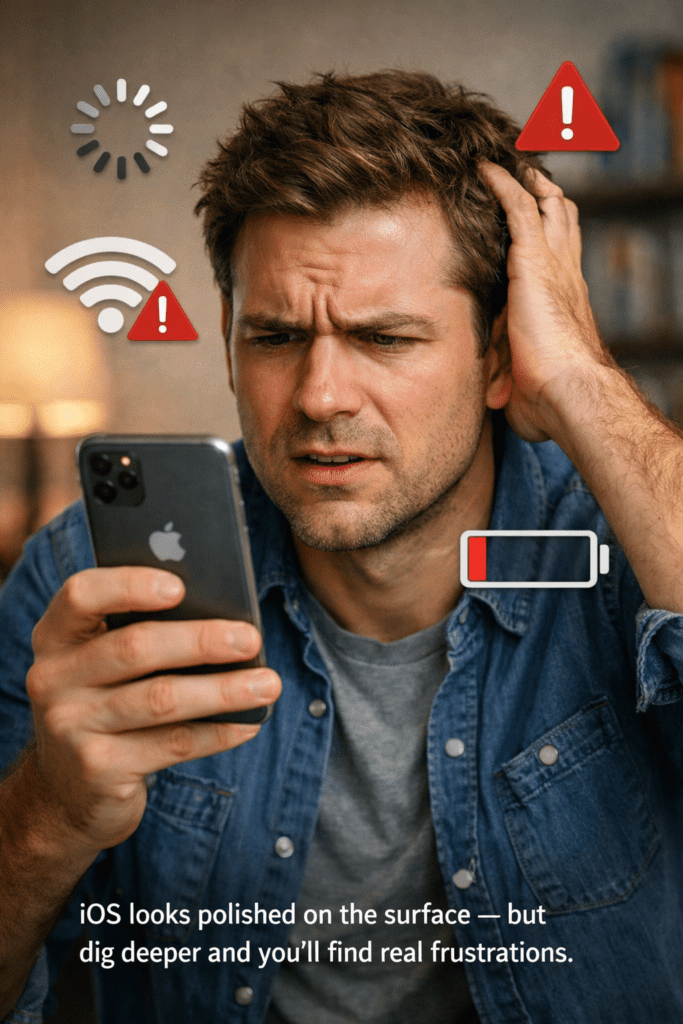
iOS hidden problems are the bugs, limitations, and design decisions built into Apple’s operating system that most users don’t notice — at least not right away.
They’re not viruses. They’re not hardware defects. They’re choices Apple made — sometimes for good reasons, sometimes not — that end up frustrating real users in real daily situations.
Think of it like buying a premium car. Everything looks perfect from the outside. Then you realize the air conditioning can only be controlled from a specific app, the FM radio requires a subscription, and the side mirrors don’t fold in automatically unless you buy the “Pro” model. That’s essentially what iOS does — but with your smartphone.
iOS Limitations vs Android — The Core Difference
The biggest difference isn’t about which is faster or prettier. It’s about control.
Android gives you more control over your phone. iOS gives you a more curated experience — meaning Apple decides what you can and can’t do. For many users, that feels like safety. For others, it feels like a cage.
These iOS hidden problems are mostly felt by users who want flexibility — people who want to change their default apps freely, share files without cables, or just customize their home screen in meaningful ways.
Why iOS Feels Smooth — But Isn’t Always
The Illusion of Perfection
Here’s something most tech reviewers won’t tell you: iOS is optimized for demos, not daily use.
The animations are butter-smooth. Apps open fast. The camera opens instantly. But when you start using your iPhone the way real people use phones — downloading random apps, switching between 15 browser tabs, getting WhatsApp messages while watching YouTube — the cracks start showing.
Apple is brilliant at making things feel fast. They’ve been doing it since the original iPhone in 2007. They prioritize what’s visible — the frame rate of scrolling, the speed of app launches — over what actually matters to power users.
So when you scroll through Instagram and it feels silky smooth, that’s real. But when you try to share a file with your Android-using colleague and it becomes a five-step nightmare — that’s also real. Just less talked about.
Why These iOS Annoying Features Get Overlooked
Most iPhone users are loyal. And loyal users defend their devices.
If you’ve been using iOS for three or four years, you’ve probably learned workarounds for every major problem — without even realizing that these are problems, not features. You’ve trained yourself to accept the limitations.
This is the classic “frog in boiling water” situation. The frustration is added slowly, one iOS update at a time, and by the time it’s genuinely bad, you’re too used to it to notice.
Top iOS Hidden Problems Most Users Ignore
Let’s get into the real stuff. These are the iOS hidden problems that you might be dealing with right now — without even knowing it.
1. Default App Restrictions (Still Annoying in 2026)
Apple introduced the ability to change default apps back in iOS 14. Great, right? Not entirely.
Even today, in 2026, you still can’t set a third-party keyboard as the complete default in every single context. You still can’t always open links directly in Chrome or Firefox without occasional redirects back to Safari. And Siri? She’ll still try to use Apple Maps even if you’ve set Google Maps as your default.
It’s like telling someone “you can redecorate your apartment” but then finding out some walls are load-bearing and can’t be touched.
2. iMessage Blue Bubble Pressure
This one is particularly bad in countries where WhatsApp dominates — but it’s a very real problem for iPhone users in the US, Canada, and UK.
iMessage creates a social hierarchy. Blue bubbles (iMessage) vs green bubbles (SMS/Android users). Some people genuinely avoid texting Android users because it “downgrades” the experience. This isn’t just a quirk — it’s an iOS hidden problem that affects real social dynamics.
Apple has partially addressed this with RCS support, but the cultural damage of the green bubble phenomenon is still very real.
3. Background App Refresh — The Hidden Battery Killer
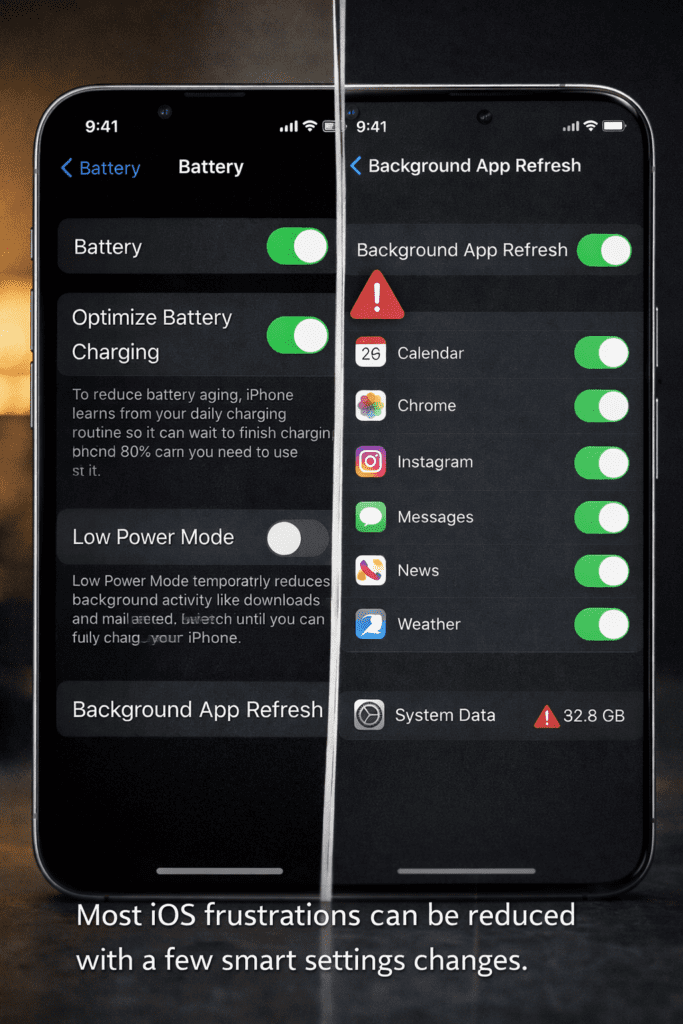
Background App Refresh is one of the most misunderstood iOS settings. It allows apps to update their content in the background even when you’re not using them.
The problem? Most users have no idea it’s quietly eating their battery and burning through their mobile data. I’ve seen friends in Mumbai with 5GB monthly data plans burn through half of it in a week — and the culprit was almost always background refresh running for 20+ apps simultaneously.
Go to Settings → General → Background App Refresh right now. I guarantee most of you have it turned on for apps that absolutely don’t need it.
4. The Files App Is a Joke Compared to Android
Android has had a proper file manager for years. iOS’s Files app still feels like an afterthought.
You can’t browse internal storage freely. You can’t move files between apps the way you’d move files between folders on a computer. Everything is siloed inside individual apps — your photos are in Photos, your downloads are in the Files app, your PDFs might be in iBooks, and none of them talk to each other properly.
For students and professionals in India who work across multiple apps, this is one of the most frustrating iOS hidden problems there is.
iOS Battery Problems Nobody Talks About
The Optimized Charging Trap
Apple introduced Optimized Battery Charging in iOS 13. The idea is smart: the phone learns your charging habits and avoids sitting at 100% for too long, which degrades battery health.
The problem? It doesn’t always work the way you expect.
If your schedule varies — like most freelancers, students, and shift workers — the feature gets confused. You’ll unplug your phone in the morning thinking it’s fully charged, only to find it’s at 80% because iOS “optimized” it based on a schedule you don’t actually follow.
I had a friend in Pune who complained that his iPhone 15 was dying by 3 PM every day. Turned out Optimized Charging was holding it at 80% every night. Simple fix once you know — but how many users know?
iOS Update Battery Drain — The Dirty Secret
Every major iOS update is followed by an avalanche of complaints about battery drain. It happens every single time, and yet Apple never addresses it directly.
What’s actually happening: after a major update, iOS re-indexes your phone in the background — re-organizing Spotlight search data, recalibrating performance benchmarks, and re-downloading system files. This process can take 24-72 hours.
The result? Your battery drains faster than usual for 2-3 days after every update. Most users think their phone is broken. They’re not — but Apple could communicate this better.
Battery Health Degradation Is Faster Than You Think
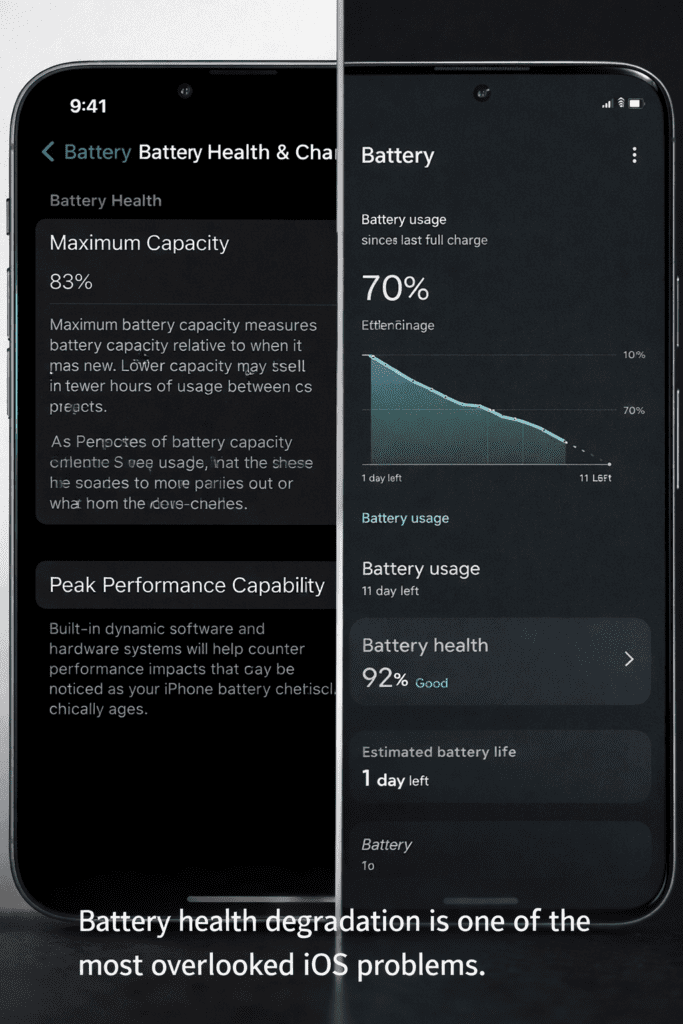
iOS battery problems go beyond just daily usage. The lithium-ion battery in your iPhone degrades with every charge cycle. Apple considers 80% battery health at 500 charge cycles to be “normal.”
But here’s the thing — if you charge your phone twice a day (common for heavy users), you’ll hit 500 cycles in less than a year. By your phone’s second birthday, your battery might already be at 75-78% health, and you’ll notice significantly reduced performance as iOS throttles the CPU to protect the degraded battery.
Apple’s solution? Pay ₹5,500-₹8,000 for a battery replacement. That’s a real cost that Apple doesn’t emphasize when selling you the phone.
The Apple Ecosystem Lock-In Problem
What Is Apple Ecosystem Lock-In?
Here’s one of the sneakiest iOS hidden problems — it doesn’t feel like a problem until you want to leave.
Apple’s products are designed to work beautifully together. iPhone + Mac + iPad + Apple Watch + AirPods = a seamless ecosystem. AirDrop works instantly. iCloud syncs everything. Apple Pay works everywhere. It feels magical.
But the moment you want to step outside that ecosystem — share a file with an Android user, use a non-Apple charger, buy music that isn’t from Apple Music — the friction begins.
Your purchased apps don’t transfer. Your iMessage history stays on Apple servers. Your AirPods work with Android but lose half their features. It’s like living in a beautiful gated community where the gate is only built on the inside.
The iCloud Storage Upsell Trap
Apple gives you only 5GB of iCloud storage for free. In 2026, that’s almost insulting. A single iPhone camera roll from a weekend trip to Goa can exceed 5GB.
So Apple nudges you — constantly — to upgrade your iCloud plan. ₹75/month for 50GB. ₹219/month for 200GB. ₹749/month for 2TB.
These costs add up. And because iCloud is woven so deeply into iOS — Photos, Backups, iMessage, Keychain, Notes — refusing to pay means living with constant “Storage Almost Full” warnings.
Google gives you 15GB free. Most Android manufacturers give additional free storage. Apple’s 5GB free tier is a deliberate pressure point, and it’s one of the most annoying iOS limitations most users accept without questioning.
iOS Notification Issues That Drive You Crazy
Notification Grouping Is a Mess
iOS notification management has improved over the years, but it’s still significantly behind Android.
On Android, you can customize notifications per-app with granular control — set specific sounds for specific contacts, control exactly how and when each app can notify you, and organize notifications into categories.
On iOS? You get a few toggles. Turn notifications on or off. Choose “immediate,” “scheduled,” or “off.” That’s largely it.
If you’re a professional getting 200+ notifications a day across WhatsApp, Gmail, Slack, and project management tools, iOS notification handling will frustrate you deeply.
The Focus Mode Problem
Apple’s Focus Mode (introduced in iOS 15) lets you set custom notification filters for different activities — Work, Personal, Sleep, Fitness.
Sounds great. But there are real iOS software bugs here that users hit regularly:
- Focus Mode sometimes stays on by itself after the scheduled time
- Certain apps ignore Focus Mode entirely
- Calls from “important contacts” sometimes still slip through when they shouldn’t — or don’t come through when they should
- The mode doesn’t sync perfectly across devices on the same Apple ID
I’ve personally been in situations where my phone rang during Focus Mode because iOS decided the caller “might be important.” That’s not a feature — that’s a bug dressed up as intelligent behavior.
Storage and File Management Frustrations
The Dreaded “iPhone Storage Full” Message
Here’s something that drives iPhone users in India absolutely crazy: iPhone storage problems hit harder here because most people buy the base model (64GB or 128GB) to save money.
The problem is that iOS itself takes up a significant portion of that storage. iOS 17-18 and its associated system data can easily consume 12-18GB on its own. Add your apps, photos, and videos, and a 128GB iPhone starts feeling cramped very quickly.
Android phones — especially from Samsung, OnePlus, or Xiaomi — often come with expandable storage via microSD cards. That’s a feature iPhones have never had and likely never will.
System Data — The Mystery Folder That Grows Forever
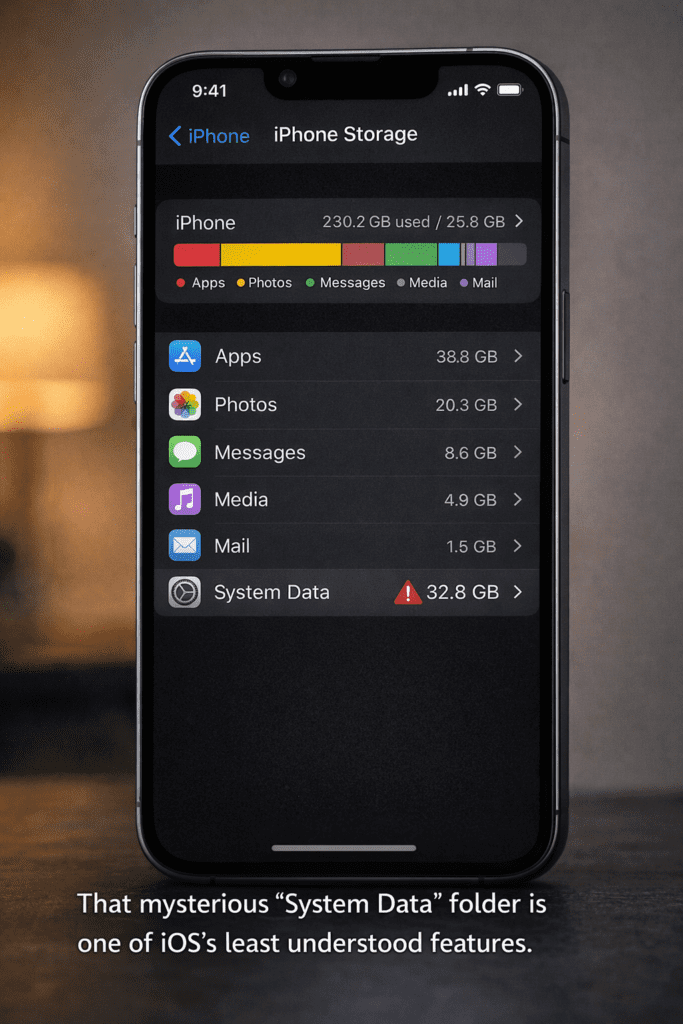
Open Settings → General → iPhone Storage and scroll to the bottom. You’ll see a category called “System Data” or “Other.”
For many users, this mysteriously grows to 10GB, 15GB, even 20GB+ over time. What’s in it? Nobody completely knows. Apple doesn’t give you a clear breakdown. It’s a mix of Siri data, cached files, system logs, and other background data that iOS accumulates and doesn’t aggressively clean.
You can’t delete it directly. You can’t manage it. You can only hope that a full backup and restore will clear it — which is a three-hour process that most users won’t do.
This is one of the most opaque iOS hidden problems and it genuinely wastes your storage.
Frequently Asked Questions
Why does iOS feel slow after an update?
After a major iOS update, your iPhone goes through a background re-indexing process — it reorganizes Spotlight data, recalibrates system performance, and finishes installing update components. This typically takes 24-72 hours and causes temporary battery drain and slightly slower performance. It’s normal and resolves on its own. If your phone stays slow after 3 days, try a restart or check if a specific app is consuming resources in Settings → Battery.
Can I fix iOS battery drain without replacing the battery?
Yes, in many cases. Turn off Background App Refresh for unnecessary apps, reduce screen brightness, disable Location Services for apps that don’t need it, and turn off Always-On Display if your model has it. These steps can meaningfully extend your daily battery life even on a degraded battery. However, if your battery health drops below 80%, a replacement (₹5,500-₹8,000 at Apple) is the only long-term fix.
Is iOS really more private than Android?
Generally, yes — iOS has stronger default privacy protections. Apple doesn’t sell your data to advertisers, and features like App Tracking Transparency (ATT) let you block cross-app tracking. However, “more private” doesn’t mean “perfectly private.” iCloud stores data on Apple’s servers, and government data requests can still access that data. For maximum privacy, use end-to-end encrypted services regardless of your operating system.
Why can’t I share files easily between iPhone and Android?
This is one of the most common iOS hidden problems for Indian users who work in mixed-device environments. Apple’s AirDrop only works between Apple devices. For iPhone-to-Android sharing, your best options are WhatsApp (for quick sends), Google Drive or Dropbox (for larger files), or Quick Share if both devices support it. Apple has no incentive to make cross-platform sharing easy — keeping it difficult is part of what makes the Apple ecosystem sticky.
What is the “System Data” eating my iPhone storage?
System Data (previously called “Other”) is a catch-all category that includes: Siri voice models, cached Safari data, system logs, app caches, old iOS update files, and various background data. Apple doesn’t provide a detailed breakdown. To reduce it: clear Safari cache (Settings → Safari → Clear History and Website Data), offload unused apps, and do a full restart. A backup and factory restore is the most effective solution but is time-consuming.
Should I update iOS immediately when a new version comes out?
Generally, wait 1-2 weeks before updating to a major iOS release. Early versions sometimes contain bugs that Apple patches quickly. Read user reports on Reddit or tech forums first. If the update addresses a critical security vulnerability, update sooner. Minor updates (iOS x.x.1, x.x.2) are usually safe to install immediately as they’re typically bug fixes.
Does iOS autocorrect improve over time?
It does, but slowly — and the improvements reset if you restore your phone or clear your keyboard dictionary. For users who write in Hinglish or regional Indian languages, iOS autocorrect remains a persistent problem because Apple’s language models are heavily trained on English text. The best workaround is to use Gboard (Google’s keyboard, available free on the App Store) which has much better multilingual support than the default iOS keyboard.
Is iOS worth the price for Indian users in 2026?
It depends entirely on your priorities. If you’re buying an iPhone for the Apple ecosystem, camera quality, long-term software support, and brand value, it’s a reasonable investment. If you’re purely evaluating performance and features per rupee, Android flagships from Samsung, OnePlus, or Google offer comparable or better specs at similar or lower prices. The iOS hidden problems in this article are real — but so are iOS’s genuine strengths. Know what you’re getting into before you spend ₹80,000+.
Final Verdict — Is iOS Worth the Frustration?
After everything we’ve discussed, here’s the honest answer:
iOS is excellent — for the right user. If you’re embedded in the Apple ecosystem, value privacy, and don’t need deep customization, iOS is genuinely one of the best mobile operating systems in the world. The performance is real. The security is real. The camera software is real.
But iOS hidden problems are also real. The battery issues, the file management frustrations, the ecosystem lock-in, the expensive iCloud, the autocorrect chaos for Indian users — these are genuine limitations that Apple doesn’t advertise.
The biggest mistake iPhone users make is assuming that because something is expensive, it must be perfect. It’s not. It’s just a different set of trade-offs.
My personal take: if you use a Mac, work in a professional Apple-heavy environment, and have the budget to stay in the ecosystem (iCloud, accessories, repairs), iOS is worth it. If you’re a student, a freelancer working across platforms, or someone who wants maximum value — take a serious look at Android flagships before committing.
Know what you’re buying. Know what you’re accepting. And use the tips in this article to minimize the frustrations that come with it.
Ready to protect your iPhone and get the most out of iOS?
One of the best investments you can make alongside your iPhone is a solid protection plan and a smart accessories setup. Check out the latest iPhone deals and accessories on Amazon India.
Browse iPhone Accessories on Amazon India →
It takes less than 2 minutes to find what you need.
Disclaimer: This post contains affiliate links. If you sign up or purchase through our link, we may earn a commission at no extra cost to you.