Introduction – Why I Switched From Windows to Mac
Switching From Windows to Mac is one of those tech decisions that feels emotional as much as logical.
For years, I used Windows laptops daily. Office work, browsing, content creation, troubleshooting—Windows was home. But curiosity kept knocking. Everyone around me kept saying things like:
- “Mac just works.”
- “Once you switch, you never go back.”
- “macOS is smoother than Windows.”
So eventually, I gave in.
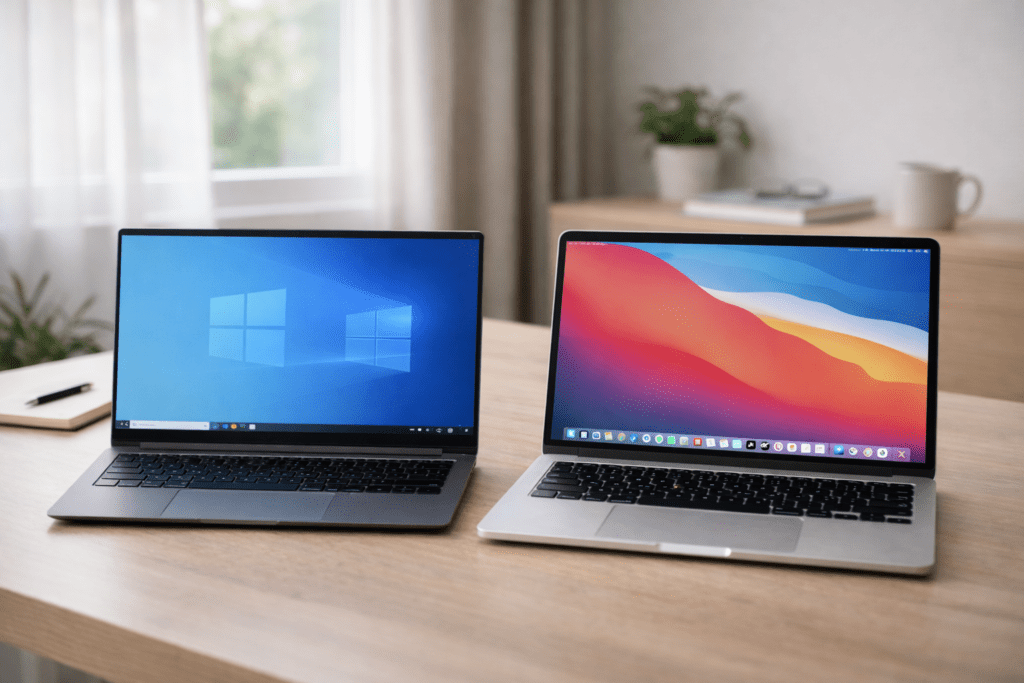
This blog is not sponsored, not fanboy-driven, and not hate-filled. It’s an honest, experience-based breakdown of what really happens when you move from Windows to macOS.
If you’re thinking about switching from Windows to Mac, this guide is written exactly for you.
My Background as a Long-Time Windows User
Before switching from Windows to Mac, here’s my actual usage pattern:
- 10+ years on Windows laptops and desktops
- Comfortable with Windows shortcuts, file system, settings
- Used Windows for:
- Blogging & writing
- Browsing & research
- Light photo editing
- System-level tweaking
- Tried multiple Windows versions—from Windows 7 to Windows 11
So no, this wasn’t a casual switch. Windows muscle memory was deeply wired into how I worked.
That matters—because switching from Windows to Mac feels very different depending on your background.
First Week After Switching From Windows to Mac
Let’s be honest.
The first week after switching from Windows to Mac is confusing, exciting, and slightly irritating—all at once.
First Impression: Premium Feel
The hardware immediately feels premium. The build quality, keyboard, trackpad, and display are on another level. Even before opening any app, the Mac gives a “finished product” vibe.
This is where Apple really nails perception.
But Then Reality Hits…
The moment you try to work, not just admire, things change.
- Where is the cut, copy, paste behavior I’m used to?
- Why does closing an app not actually quit it?
- Why is the window control on the left?
- Where is the “right-click refresh”?
When switching from Windows to Mac, your brain fights muscle memory every few minutes.
Learning macOS: Exciting or Frustrating?
macOS is elegant—but opinionated.
Unlike Windows (by Microsoft), macOS doesn’t ask how you want to work. It tells you how it wants you to work.
That can feel refreshing—or restrictive.
Things That Felt Easy
- Trackpad gestures are insanely smooth
- Spotlight search feels magical
- Battery life is shockingly good
- Sleep and wake behavior is instant
Things That Felt Hard
- File management feels hidden
- External USB behavior feels limited
- App installation logic is different
- System settings are reorganized in unexpected ways
When switching from Windows to Mac, productivity initially drops—not because macOS is bad, but because it’s unfamiliar.
Everyday Tasks: What Changed Immediately?
Let’s talk daily usage—because that’s what actually matters.
Browsing & Writing
For writing and browsing, macOS feels calm. No random background noise. No sudden fan bursts. Everything feels… quiet.
Safari is decent, Chrome works fine, and typing feels comfortable for long hours.
Multitasking
Here’s where switching from Windows to Mac feels mixed.
- macOS is smooth, but window snapping isn’t as intuitive
- You’ll miss Windows’ simple left-right snap
- Third-party tools become necessary
It’s not worse—just different.

File Management
Windows Explorer users will feel lost initially.
Finder is powerful, but not obvious. It hides complexity instead of exposing it.
Think of it like this:
Windows is like a toolbox where everything is visible.
macOS is like a minimalist studio—clean, but you need time to find things.
Opinion + Experience (Initial Phase)
Let’s pause and be brutally honest.
Switching From Windows to Mac is not instantly “better.”
It’s smoother.
It’s calmer.
But it’s also restrictive in subtle ways.
At this stage, my honest feeling was:
“I like it… but I’m slower than before.”
That’s an important truth many reviews don’t mention.
Pros and Cons (Early Observations)
✅ Pros After Switching From Windows to Mac
- Exceptional battery life
- Silent performance
- Best-in-class trackpad
- Stable daily experience
- Premium hardware feel
❌ Cons After Switching From Windows to Mac
- Learning curve is real
- Limited customization
- Expensive ecosystem
- Fewer ports
- Some apps behave differently
This balance is crucial to understand before making a decision.
Who Should Buy a Mac After Using Windows?
Switching from Windows to Mac makes sense if you:
- Want a distraction-free work environment
- Value battery life and portability
- Prefer stability over customization
- Are okay learning new workflows
- Use cloud-based tools
Macs shine when you adapt to them—not when you fight them.
Who Should Avoid Switching From Windows to Mac?
You may want to avoid switching from Windows to Mac if you:
- Love deep system customization
- Depend on niche Windows-only software
- Regularly use external hardware
- Prefer upgradeable machines
- Expect “Windows behavior” on macOS
There’s no shame in staying with what works.
Productivity After Switching From Windows to Mac (30–90 Days In)
After the initial excitement and confusion fade, real life begins.
This is where Switching From Windows to Mac stops being a “new toy” and starts becoming a daily work machine.
And this phase reveals the truth.
First 30 Days: Slower but Calmer
During the first month:
- Tasks took slightly longer
- Keyboard shortcuts felt unnatural
- File navigation required conscious thinking
But something interesting happened.
I felt less mental fatigue.
No random pop-ups.
No forced restarts.
No background noise.
macOS doesn’t interrupt—it waits.
60–90 Days: Muscle Memory Rewires
Around the second and third month, something clicks.
- Trackpad gestures become automatic
- Spotlight replaces searching folders
- App switching feels fluid
- Battery anxiety disappears
At this point, productivity doesn’t just recover—it stabilizes.
Not faster than Windows.
Not slower either.
Just consistent.
Multitasking: Windows Power vs macOS Flow
This is one of the biggest deciding factors when switching from Windows to Mac.
Windows Multitasking Strengths
Windows excels at:
- Window snapping
- Managing many visible apps
- Custom layouts
- External monitor flexibility
For heavy multitaskers, Windows feels like a command center.
macOS Multitasking Reality
macOS prefers focus over chaos.
- Fewer windows visible
- Cleaner desktop
- Mission Control instead of taskbar chaos
- Full-screen app mindset
It’s not better or worse—it’s a different philosophy.
Windows helps you juggle.
macOS helps you focus.
Performance: Raw Power vs Perceived Smoothness
Here’s a surprise many people don’t talk about.
macOS often feels faster—even when benchmarks say otherwise.
Why?
Because macOS prioritizes:
- Animation smoothness
- Thermal efficiency
- Silent operation
- Predictable behavior
You rarely hear fans ramping up.
You rarely see sudden slowdowns.
This creates an illusion of constant speed.
When switching from Windows to Mac, the lack of friction becomes noticeable.
Battery Life: A Genuine Game Changer
This deserves special attention.
If you’ve used Windows laptops, you know the drill:
- Carry charger everywhere
- Reduce brightness
- Close background apps
- Battery anxiety
After switching from Windows to Mac, that anxiety fades.
Real-World Battery Use
- 8–12 hours of mixed usage
- Sleep mode barely drains power
- No sudden percentage drops
This alone changes how you work.
You stop planning around power sockets.
Software Compatibility: The Hidden Friction
Now let’s talk about what doesn’t get enough attention.
Apps That Work Great on macOS
- Browsers
- Writing tools
- Cloud-based platforms
- Design tools
- Development environments
For modern, internet-first workflows, macOS feels natural.
Apps That Feel Complicated
- Certain Windows-only utilities
- Legacy business software
- Hardware-dependent tools
Yes, alternatives exist—but alternatives still mean adjustment.
Switching from Windows to Mac isn’t about losing apps—it’s about changing habits.
Customization: Freedom vs Control
This is where many Windows users struggle emotionally.
Windows Customization
- Taskbar control
- Deep system tweaks
- Registry-level changes
- Third-party mods
Windows lets you shape the OS.
macOS Customization
- Limited visual changes
- Fixed system behavior
- Controlled environment
macOS doesn’t want you to modify it—it wants you to trust it.
Some people love that.
Some people hate it.
Opinion + Experience (Mid-Term Use)
At this stage, my honest feeling was:
“I don’t miss Windows as much as I thought I would.”
But also:
“I understand why some people go back.”
That’s the truth.
Switching from Windows to Mac doesn’t make Windows bad.
It just highlights different priorities.
Pros and Cons (After 2–3 Months)
✅ Pros of Switching From Windows to Mac
- Excellent battery life
- Silent and cool performance
- Smooth daily workflow
- Minimal distractions
- Strong resale value
❌ Cons of Switching From Windows to Mac
- High upfront cost
- Limited hardware flexibility
- Fewer ports
- Learning curve
- Less customization
This balance becomes clearer with time.
Who Benefits Most After Switching From Windows to Mac?
You’ll truly enjoy macOS if you:
- Work long hours without charging
- Value focus over multitasking chaos
- Prefer stability to experimentation
- Use cloud-based tools
- Appreciate minimal design
Who Starts Missing Windows After Switching?
You may miss Windows if you:
- Love tweaking everything
- Use niche tools
- Rely on legacy software
- Need maximum port flexibility
- Enjoy hardware upgrades
Neither choice is wrong.
Life After 6–12 Months of Switching From Windows to Mac
By now, the honeymoon phase is long gone.
This is the phase where you stop thinking about your operating system—and that’s the most honest test.
After 6 to 12 months of Switching From Windows to Mac, three things become very clear:
- You no longer compare every action to Windows
- You either accept macOS fully—or feel boxed in
- Regret (or satisfaction) becomes obvious
This is where the verdict slowly forms.
Performance Over Time: Does macOS Age Well?
One of the biggest fears when switching from Windows to Mac is:
“Will it slow down over time?”
Surprisingly, macOS ages gracefully.
Long-Term Performance Observations
- No noticeable lag increase
- No performance decay in daily tasks
- No forced cleanup rituals
- No “fresh install” temptation
This stability is where Apple quietly wins.
Windows laptops often age well too—but require maintenance.
macOS prefers consistency over control.
Cost vs Value: The Real Money Conversation
Let’s address the elephant in the room.
Macs are expensive.
When switching from Windows to Mac, the price shock is real—especially for users coming from mid-range Windows laptops.
What You Pay More For
- Build quality
- Battery efficiency
- Trackpad & display
- Long-term OS support
- Resale value
What You Don’t Necessarily Get
- More ports
- Hardware upgrades
- Broad price flexibility
- Gaming value
Macs don’t offer the best specs per rupee/dollar.
They offer the most refined experience per year of ownership.
That distinction matters.
Resale Value: An Underrated Advantage
This is rarely discussed—but extremely important.
After 3–4 years:
- Macs retain strong resale value
- Windows laptops depreciate faster
If you regularly upgrade devices, this alone offsets part of the high purchase price.
Switching from Windows to Mac becomes financially smarter over time, not upfront.
Gaming Reality: Let’s Be Honest
If gaming matters to you, this section matters.
Gaming on Windows
Windows remains the king of gaming.
- Massive game library
- Better GPU support
- Native compatibility
- Performance tuning
Thanks to Microsoft and the Windows ecosystem, gaming is effortless.
Gaming on macOS
Gaming exists—but feels secondary.
- Limited native titles
- Workarounds required
- Performance compromises
If gaming is your priority, switching from Windows to Mac will feel disappointing.
There’s no sugarcoating that.
Ecosystem: Blessing or Trap?
This is where macOS becomes dangerously attractive.
Once you own:
- A Mac
- An iPhone
- AirPods
- An iPad
Everything starts syncing effortlessly.
The Good Side
- Seamless file sharing
- Instant device switching
- Unified notifications
- Minimal friction
The Dangerous Side
- Harder to leave later
- Accessories are expensive
- Ecosystem lock-in
Switching from Windows to Mac often turns into staying with Apple, not just macOS.
Daily Workflows After One Year
After one year, here’s what surprised me most:
- I stopped tweaking settings
- I stopped worrying about performance
- I focused more on actual work
The system fades into the background.
That’s macOS’s biggest strength.
Windows feels like a powerful machine.
macOS feels like a quiet assistant.
Opinion + Experience (Long-Term)
Here’s the most honest sentence I can write:
“I don’t love everything about macOS—but I trust it.”
That trust grows slowly.
And trust matters more than excitement in long-term usage.
Switching from Windows to Mac didn’t make me more productive overnight—but it made work mentally lighter.
Pros and Cons (After 6–12 Months)
✅ Long-Term Pros of Switching From Windows to Mac
- Reliable performance over time
- Excellent battery health
- Minimal maintenance
- Strong resale value
- Calm, focused workflow
❌ Long-Term Cons of Switching From Windows to Mac
- High repair costs
- Limited hardware flexibility
- Ecosystem lock-in
- Gaming limitations
- Fewer configuration options
These pros and cons feel real, not theoretical, after a year.
Who Feels Satisfied Long-Term?
You’ll likely feel happy if you:
- Work daily on your laptop
- Prefer consistency over power tweaks
- Value long battery life
- Don’t game heavily
- Appreciate quiet efficiency
Who Eventually Feels Regret?
You may feel regret if you:
- Love experimenting with software
- Upgrade hardware often
- Play modern games
- Want maximum control
- Expect macOS to behave like Windows
macOS doesn’t adapt to you—you adapt to it.
Who Should Buy a Mac After Switching From Windows?
After months of real-world use, patterns become very clear.
Switching From Windows to Mac is worth it if you fall into one or more of these categories:
✅ You SHOULD switch if:
- You work long hours on a laptop daily
- Battery life matters more than raw specs
- You prefer stability over endless customization
- You want a distraction-free workflow
- You use browsers, cloud tools, writing apps, or design software
- You value long-term reliability and resale value
Macs shine for knowledge workers, bloggers, developers, designers, students, and remote professionals.
Who Should Avoid Switching From Windows to Mac?
This is equally important.
Switching From Windows to Mac may NOT be worth it if:
❌ You should AVOID switching if:
- You are a heavy gamer
- You rely on Windows-only or legacy software
- You love deep OS customization and tweaking
- You frequently upgrade RAM, storage, or GPU
- You need maximum ports and hardware flexibility
- You want the best performance per price
In these cases, Windows isn’t worse — it’s simply better suited.
Opinion + Experience (Final, Unfiltered)
Let’s strip away hype and loyalty.

Here is the most honest conclusion possible:
Switching From Windows to Mac doesn’t make you more powerful — it makes your work calmer.
macOS doesn’t try to impress you daily.
It doesn’t constantly offer options.
It doesn’t beg for attention.
Instead, it quietly stays out of your way.
Some people love that.
Some people miss the control Windows gives.
Neither group is wrong.
Pros and Cons Summary (Final)
✅ Final Pros of Switching From Windows to Mac
- Exceptional battery life
- Consistent long-term performance
- Silent and cool operation
- Excellent trackpad and display
- Minimal maintenance
- Strong resale value
❌ Final Cons of Switching From Windows to Mac
- High initial cost
- Limited hardware upgrades
- Fewer ports
- Gaming limitations
- Ecosystem lock-in
This balance defines the entire decision.
Final Verdict: Was Switching From Windows to Mac Worth It?
⭐ Yes — but with conditions.
Switching From Windows to Mac is worth it if your priority is:
- Focus
- Stability
- Battery life
- Long-term reliability
It may not be worth it if your priority is:
- Customization
- Gaming
- Hardware freedom
- Best value-for-money specs
macOS is not a “better Windows.”
It’s a different philosophy.
And once you understand that, regret disappears.
Frequently Asked Questions (SEO-Optimized)
1. Is switching from Windows to Mac hard for beginners?
Initially, yes. The first few weeks feel unfamiliar, but most users adapt within 30–60 days.
2. Does switching from Windows to Mac improve productivity?
Not instantly. Productivity stabilizes over time as distractions reduce and workflows become consistent.
3. Can I use Microsoft apps on macOS?
Yes. Microsoft Office, Outlook, Teams, and OneDrive work well on macOS via Microsoft.
4. Is a Mac good for long-term use?
Yes. macOS devices age gracefully and receive long OS updates from Apple.
5. Is switching from Windows to Mac worth it for students?
Yes, especially for studying, writing, research, coding, and online learning — provided budget allows.
6. Can I switch back to Windows later?
Absolutely. Many users try macOS and return to Windows with clarity — not regret.
7. Is gaming possible after switching from Windows to Mac?
Casual gaming is possible, but serious gaming is still far better on Windows.