Introduction
Buying a Mac for the first time feels exciting—and confusing at the same time.
If you’re coming from Windows, you’ve probably heard bold claims like “Macs just work” or “Once you switch, you’ll never go back.” But no one really talks about what the experience actually feels like on day one.
This blog is written from that exact moment.
This is my first time using a Mac, and this is not a polished marketing review or a spec-heavy comparison. It’s a real beginner’s opinion—based on daily use, small frustrations, quiet wins, and honest realizations that only appear after living with macOS.
Why I Decided to Try a Mac for the First Time
For years, I was a Windows user.
Not casually—seriously.
I knew every shortcut, every setting, every workaround.
Windows felt like home.
But over time, something kept bothering me.
Everyone around me kept saying:
- “Mac just works”
- “Macs last longer”
- “Once you use macOS, you can’t go back”
Honestly?
I didn’t believe it.
Still, curiosity won.
So yes—this is my first time using a Mac, and this blog is not sponsored, not biased, and not sugar-coated.
It’s written exactly how a beginner actually feels.
First Time Using a Mac – Expectations vs Reality
What I Expected:
- Confusing interface
- Hard learning curve
- Overhyped performance
- Locked ecosystem
What I Actually Experienced:
- Surprisingly calm interface
- Less clutter than Windows
- Some things incredibly smooth
- Some things weirdly frustrating
That mix is exactly why this honest beginner opinion matters.
macOS First Boot Experience
The moment I opened the lid, I noticed something different.
No loud fan noise.
No flashing setup screens.
No overwhelming options.
Just… calm.
Setup Process: first time using a Mac
- Apple ID login
- Fingerprint setup
- Basic preferences
That’s it.
If Windows setup feels like filling a government form, macOS setup feels like:
“Relax, I’ve got this.”
And for a first time using a Mac, that matters more than specs.
Things That Felt Surprisingly Easy
Let’s talk about what impressed me immediately.
1. Trackpad (This Deserves Respect)
I thought people were exaggerating.
They weren’t.
- Gestures feel natural
- Scrolling is smooth
- Switching apps is intuitive
After 2 days, using a normal mouse felt… outdated.
2. App Installation
No hunting shady .exe files.
- App Store works cleanly
- Drag & drop apps feel simple
- No pop-ups begging for permissions every second
For beginners, this removes fear.
Things That Immediately Felt Strange
Now the honest part.
1. Window Management Feels Odd
- Closing a window ≠ closing an app
- Apps stay active in background
- Green button behavior feels confusing initially
If you’re coming from Windows, this will frustrate you for the first week.
2. File Manager (Finder)
Finder is clean… but:
- Cut & paste isn’t obvious
- Right-click behavior feels limited
- Folder logic is different
It’s not bad—but it’s different.
And difference = discomfort for beginners.
Opinion + Experience
Here’s my raw opinion after the first time using a Mac:
A Mac does not try to impress you loudly.
It wins you over quietly.
Instead of flashy tricks, it focuses on:
- Stability
- Flow
- Consistency
But—and this is important—it expects you to unlearn habits.
If you resist that?
You’ll hate it.
If you accept it?
You’ll adapt faster than expected.
Beginner Analogy
Think of Windows like:
A toolbox with everything available—messy but powerful.
Think of macOS like:
A clean kitchen where everything is exactly where it should be.
Neither is perfect.
But the experience feels different, and that’s the real story beginners need.
First Time Using a Mac – Real Pros and Cons After Daily Use
After the excitement of unboxing fades, reality begins.
This is where the first time using a Mac truly gets tested—not in ads, not in reviews, but in daily work.
Emails.
Browsing.
File handling.
Multitasking.
Long workdays.
Here’s my honest beginner opinion, without filters.
The Real Pros (What Genuinely Feels Better on a Mac)
Let’s start with what actually impressed me, even as a skeptical Windows user.
1. macOS Feels Calm, Not Aggressive
This may sound emotional—but it’s real.
macOS doesn’t:
- Constantly notify you
- Push updates aggressively
- Interrupt your workflow
Instead, it stays in the background.
For a beginner, this creates confidence, not anxiety.
Using macOS feels like working in a quiet library instead of a noisy office.
2. Performance Feels Consistent (Not Spiky)
This surprised me.
Apps don’t randomly lag.
The system doesn’t suddenly slow down.
Even with:
- Browser tabs open
- Music playing
- Background apps running
Performance stays predictable.
For first-time users, predictability is more valuable than raw power.
3. Battery Life Is Genuinely Stress-Free
This is not hype.
On my first time using a Mac, I stopped thinking about battery percentage.
Why?
- No sudden drops
- No panic at 30%
- No carrying charger everywhere
You just… work.
For beginners, this alone feels like a luxury.
4. Trackpad + Gestures = Addiction
At first, gestures feel unnecessary.
Then suddenly:
- Three-finger swipe becomes natural
- App switching feels instant
- Scrolling feels precise
Going back to a regular laptop trackpad feels cheap after this.
5. Apps Feel Optimized, Not Just Installed
Mac apps feel:
- Polished
- Well-integrated
- Designed for the OS
Even simple apps behave smoothly.
This reduces friction for beginners who just want things to work.
The Real Cons (Things Beginners Will Struggle With)
Now comes the honest part most reviews avoid.
1. Learning Curve Is Quiet but Real
macOS doesn’t scream “you’re doing it wrong.”
Instead, it silently expects you to adapt.
Examples:
- Closing a window doesn’t close the app
- Apps stay active even when invisible
- Menu bar logic takes time
This confuses beginners during the first 7–10 days.
2. Finder Is Clean… But Restrictive
Finder looks simple.
But:
- File cutting is hidden
- Folder organization feels opinionated
- Power users may feel limited
If you love deep control like Windows Explorer, this can feel constraining.
3. Software Compatibility Issues Exist
Not everything works perfectly on macOS.
Some tools:
- Have limited Mac versions
- Require alternatives
- Don’t support certain workflows
For beginners, discovering this after buying can be frustrating.
4. Customization Is Minimal
This is important.
macOS doesn’t encourage:
- Heavy UI changes
- Deep visual personalization
- Taskbar behavior tweaks
If you love customizing your system visually, macOS may feel too controlled.
5. You Pay More—And You Feel It
There’s no avoiding this.
As a first-time user, you will think:
“Is this really worth the price?”
You’re not paying just for hardware.
You’re paying for:
- Experience
- Stability
- Longevity (hopefully)
Whether that’s worth it depends on you.
Pros & Cons Summary
✅ Pros: first time using a Mac
- Calm, distraction-free OS
- Excellent battery life
- Smooth performance
- Best-in-class trackpad
- Polished app ecosystem
❌ Cons: first time using a Mac
- Learning curve for Windows users
- Limited customization
- Finder limitations
- Higher upfront cost
- Some software compatibility gaps
This balance is exactly what first time using a Mac feels like.
Who Feels Comfortable Quickly on a Mac?
You’ll adapt faster if you:
- Prefer simplicity
- Value stability over flexibility
- Want fewer system headaches
- Work long hours without charging
For these users, macOS feels relieving.
Who May Feel Frustrated Initially?
You may struggle if you:
- Love heavy customization
- Depend on niche Windows software
- Expect things to work “the Windows way”
- Hate unlearning habits
This doesn’t mean Mac is bad—it means expectations matter.
Beginner Analogy (Simple Truth)
Switching to macOS is like moving to a new country.
- The roads are cleaner
- The rules are different
- Life feels simpler—but unfamiliar
If you accept the culture, you’ll enjoy it.
If you fight it, you’ll feel lost.
First Time Using a Mac – Who Should Buy It
After weeks of real usage, one thing became very clear during my first time using a Mac:
A Mac is not for everyone.
And that’s okay.
The problem is not the Mac itself—the problem is wrong expectations.
This section exists to save beginners from regret.
Who SHOULD Buy a Mac
Let’s start with the people who usually end up happy after switching.
1. Students Who Want Stability Over Tweaking
If you’re a student who wants:
- Reliable battery life
- Smooth online classes
- Note-taking without lag
- Minimal system issues
Then macOS feels comforting.
You don’t waste time fixing problems.
You just focus on studying.
For a first time using a Mac, this simplicity matters more than features.
2. Professionals Who Work Long Hours
If your day involves:
- Emails
- Browsers with many tabs
- Documents
- Meetings
- Light creative work
macOS feels calm and predictable.
It doesn’t:
- Freeze randomly
- Interrupt with forced updates
- Drain battery quickly
This makes long workdays less stressful.
3. Writers, Bloggers & Content Creators
For people who write, edit, or publish content:
- The keyboard + trackpad combo feels natural
- Apps feel distraction-free
- macOS encourages focus
As a beginner, this felt surprisingly helpful.
It’s like the system quietly supports deep work.
4. People Who Value Longevity
If you keep devices for 4–6 years, a Mac makes sense.
macOS updates:
- Arrive regularly
- Stay smooth even on older hardware
- Don’t slow the system drastically
For beginners thinking long-term, this is a big win.
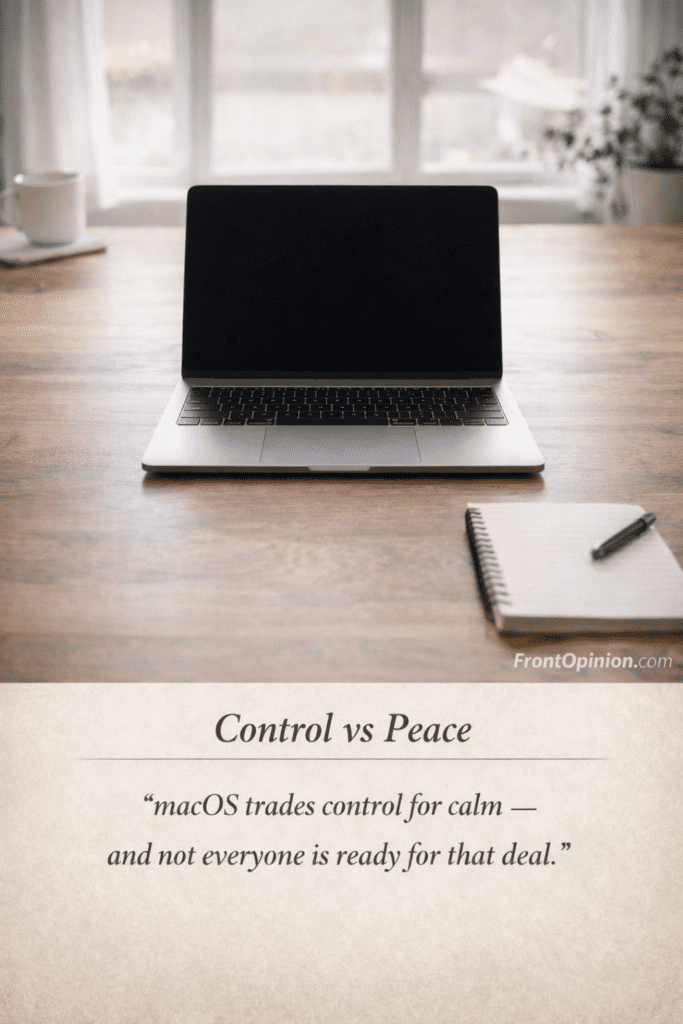
5. Users Who Prefer “Less Control, More Peace”
This is important.
macOS limits customization—but that’s intentional.
If you:
- Don’t enjoy tweaking settings
- Prefer defaults that just work
- Want fewer decisions
Then macOS feels freeing, not restrictive.
Who Should AVOID a Mac
Now comes the part many blogs avoid.
If you fall into these categories, think carefully before buying.
1. Hardcore Windows Power Users
If you:
- Love deep system control
- Use advanced Windows shortcuts
- Rely on niche Windows-only tools
- Customize everything visually
macOS will feel limiting.
During my first time using a Mac, I had moments where I missed that freedom.
2. Gamers (Especially Beginners)
Let’s be honest.
Macs are not built for serious gaming.
- Limited game library
- Poor optimization
- Expensive for gaming performance
If gaming is your priority, macOS will disappoint.
3. Budget-Conscious Buyers
This matters.
If:
- Price-to-performance is critical
- You upgrade often
- You want maximum specs for money
A Mac may not feel justified.
Beginners often feel the price emotionally, even if the experience is good.
4. Users Who Hate Learning New Habits
macOS demands adaptation.
If you:
- Get frustrated easily
- Expect everything to work like Windows
- Don’t enjoy learning new workflows
The first few weeks can feel annoying.
This frustration is real for first-time users.
5. Heavy Enterprise or Legacy Software Users
Some enterprise tools:
- Work better on Windows
- Have limited Mac versions
- Require workarounds
If your job depends on such software, research first.
Mac vs Windows Mindset
This is not about “better” or “worse.”
It’s about philosophy.
Windows Philosophy:
- Freedom
- Flexibility
- Customization
- Compatibility
macOS Philosophy:
- Simplicity
- Stability
- Consistency
- Controlled experience
During my first time using a Mac, I realized:
You don’t choose macOS for power—you choose it for peace.
Beginner Comparison Analogy
Choosing a Mac is like choosing automatic transmission.
- You lose manual control
- But gain smooth driving
- And fewer mistakes
Some love it.
Some hate it.
Neither is wrong.
Common Beginner Mistakes
Many first-time Mac users struggle unnecessarily.
Here’s what I learned:
- ❌ Expecting Windows shortcuts to work
- ❌ Trying to customize macOS heavily
- ❌ Ignoring built-in gestures
- ❌ Closing apps incorrectly
- ❌ Comparing everything to Windows
Once you stop fighting macOS, it becomes easier.
First Time Using a Mac – My Final Honest Beginner Verdict
After weeks of real usage, mistakes, learning, frustration, and appreciation, I can finally answer the biggest question:
Is a Mac really worth it for first-time users?
The honest answer is not a simple yes or no.
It’s a “yes, if…” and a “no, if…” situation.
And that’s exactly what beginners deserve to hear.
Opinion + Experience
During my first time using a Mac, I went through three clear phases:
Phase 1: Confusion
- New shortcuts
- Different logic
- Unfamiliar workflows
This phase tests patience.
Phase 2: Resistance
- “Why can’t I customize this?”
- “Why does closing not close?”
- “Why does macOS do it this way?”
This phase creates doubt.
Phase 3: Acceptance
Something quietly changes.
You stop fighting macOS.
You start using gestures.
You trust the battery.
You stop thinking about performance.
This is when macOS starts making sense.
What Beginners Often Misunderstand About Macs
Many beginners think: 9first time using a Mac)
- Macs are magically faster
- Macs are perfect
- Macs have no flaws
That’s not true.
What Macs actually do better is:
- Reduce friction
- Minimize distractions
- Stay consistent over time
That difference is subtle—but powerful.
Pros + Cons
✅ Final Pros: first time using a Mac
- Extremely stable system
- Excellent battery life
- Calm, distraction-free experience
- Best trackpad & gestures
- Long software support
❌ Final Cons: first time using a Mac
- Learning curve for Windows users
- Limited customization
- Higher upfront cost
- Some software limitations
- Not ideal for gaming
This balance defines the real beginner experience.
Who Should Buy a Mac
You should seriously consider a Mac if you:
- Are a first-time buyer seeking simplicity
- Value long-term reliability
- Work or study for long hours
- Prefer fewer system issues
- Don’t enjoy tweaking settings
For these users, macOS feels like relief.
Who Should Avoid a Mac
You should reconsider if you: first time using a Mac
- Love deep system customization
- Rely on Windows-only tools
- Want maximum specs for price
- Primarily game on your laptop
- Hate learning new workflows
Avoiding regret is smarter than following hype.
Frequently Asked Questions (FAQs) – first time using a Mac
1. Is a Mac hard to use for beginners?
Not hard—but different.
The learning curve exists mainly for Windows users during the first 1–2 weeks.
2. How long does it take to get comfortable with macOS?
Most beginners adapt within 7–14 days if they stop comparing everything to Windows.
3. Is a Mac worth the price for first-time users?
If you plan to use it for 4–6 years, yes.
If you upgrade frequently, maybe not.
4. Can beginners use a Mac for office work?
Absolutely.
Emails, documents, browsing, meetings—all work smoothly.
5. Is macOS better than Windows?
It’s not better—just different.
macOS focuses on stability; Windows focuses on flexibility.
6. Do Macs really last longer?
From a software support perspective—yes.
From a hardware care perspective—it depends on usage.
7. Is a Mac good for students?
Yes, especially for note-taking, research, online classes, and long battery life.
8. Should I switch from Windows to Mac as a beginner?
Only if you’re willing to unlearn habits and accept a new workflow.

Final Verdict (Clear & Honest) – first time using a Mac
⭐ My Honest Beginner Conclusion
A Mac is not magical.
It is not perfect.
It is not for everyone.
But for the right beginner, it can feel: first time using a Mac
- Calm
- Reliable
- Refreshingly simple
If you buy a Mac expecting freedom—you may feel restricted.
If you buy a Mac expecting peace—you’ll likely be satisfied.
That single mindset difference decides everything.
After spending real time with macOS, my final verdict is simple: a Mac is not perfect, but it is purposefully designed. For a first-time user, the experience feels calm, stable, and thoughtfully refined—but only if you’re willing to adapt. The biggest shift isn’t technical; it’s mental. macOS asks you to let go of control in exchange for consistency and peace.
If you value long battery life, smooth performance, and a distraction-free workflow, a Mac can genuinely improve your daily routine. However, if you love deep customization, gaming, or Windows-style flexibility, the transition may feel limiting rather than liberating.
For beginners who want a reliable, long-term laptop that quietly does its job without constant troubleshooting, a Mac is worth considering. Just don’t buy it expecting magic—buy it expecting balance.