Introduction: My Real Experience Using a Mac Daily for One Year
Using a Mac daily for one year sounds glamorous on paper. Sleek design, smooth performance, long battery life—everything promises a “premium” experience.
But real life is different.
I didn’t test this Mac in a lab. I used it every single day—for work, browsing, content creation, multitasking, updates, and even frustration moments. This article is not sponsored, not fanboy-driven, and not hate-based. It’s the truth after one full year of daily Mac usage.
If you’re planning to buy a Mac—or already using one—this guide will help you decide with clarity, not hype.
1. Why I Chose a Mac in the First Place
My decision wasn’t impulsive.
I wanted:
- Reliable daily performance
- Long-term software updates
- Strong battery life
- Minimal maintenance
After years on Windows laptops, I decided to experience what Apple users often praise—stability and longevity.
2. Daily Life With macOS: What It’s Really Like
Using a Mac daily for one year feels like:
Owning a well-maintained car that rarely breaks—but only works best with its own accessories.
macOS is calm. No aggressive pop-ups. No sudden slowdowns. Things feel predictable, which matters more than speed in long-term usage.
Day-to-day tasks included:
- Browser tabs (10–25 daily)
- Writing & editing
- Light design work
- File transfers
- Video streaming
- Occasional multitasking stress
3. Performance After One Year of Daily Use
Here’s the honest truth:
Performance stayed almost identical from Day 1 to Month 12.
No noticeable lag.
No boot-time increase.
No random freezes.
That’s rare in daily-used laptops.
However, macOS manages RAM differently, so new users may mistake efficiency for limitation.
4. Battery Life: Expectations vs Reality
Battery performance is where using a Mac daily for one year genuinely impressed me.
Real-world battery usage:
- 7–9 hours consistently
- Minimal battery degradation
- Sleep drain is almost negligible
Unlike many laptops that slowly “forget” how to hold a charge, the Mac aged gracefully.
Analogy:
Mac battery aging feels like a slow sunset—not a sudden blackout.
5. macOS Stability & Updates Over One Year
macOS updates arrive frequently—but quietly.
The good:
- Smooth installations
- Rare crashes
- No driver chaos
The annoying:
- Some updates change behavior without warning
- Older apps sometimes break
Still, using a Mac daily for one year means fewer system-level headaches than most platforms.
6. Productivity & Workflow on a Mac
macOS rewards habit and consistency.
Features that quietly boost productivity: Using a Mac daily for one year
- Spotlight search
- Trackpad gestures
- Split view
- Native PDF tools
But customization lovers may feel restricted.
If Windows is a toolbox, macOS is a pre-designed workspace—clean, but controlled.
7. Hardware Quality & Long-Term Durability
After one year:
- No hinge looseness
- No keyboard fading
- No trackpad issues
- No fan noise increase
Mac hardware ages slowly, which partially justifies the price.
8. Ecosystem Advantage: Is It Overhyped?
Short answer: It depends on you.
If you also use:
- iPhone
- iPad
- AirPods
The experience feels seamless.
If not?
You won’t miss it.
The ecosystem is a multiplier, not a requirement.
9. Pros of Using a Mac Daily for One Year
✔ Honest Advantages
- Consistent performance
- Excellent battery life
- High-quality display
- Minimal system maintenance
- Long software support
✔ Hidden Pros
- Less distraction
- Fewer troubleshooting sessions
- Predictable daily behavior
10. Cons of Using a Mac Daily for One Year
Let’s be real.
❌ Real Drawbacks
- Expensive upgrades
- Limited ports
- Restricted customization
- App compatibility issues (some tools still prefer Windows)
❌ Emotional Cons
- You expect perfection—and notice flaws more
- Repairs are costly
11. Who Should Buy a Mac
A Mac is ideal if you: Using a Mac daily for one year
- Value stability over flexibility
- Want long-term reliability
- Prefer clean UI
- Work in writing, design, coding, or business tasks
12. Who Should Avoid a Mac
Avoid a Mac if you:
- Love deep customization
- Rely on niche Windows-only software
- Are budget-constrained
- Expect gaming performance
Performance After One Year: The Truth Nobody Explains Properly
After one year, Mac performance doesn’t feel faster—it feels stable. Apps open predictably, the system remains smooth, and slowdowns are rare. Instead of dramatic speed boosts, macOS focuses on consistency, smart memory handling, and reliability, which matters more in daily long-term use.
Let’s get this straight:
Using a Mac daily for one year does NOT mean it stays “blazing fast.”
It means it stays consistent.
And consistency beats short-term speed in real life.
What stayed the same after 12 months
- Boot time
- App launch speed
- File browsing responsiveness
- Trackpad smoothness
- UI animations
What slightly changed
- Heavy multitasking stress tolerance
- Background app reload frequency
- Memory pressure awareness (especially on 8GB models)
macOS doesn’t degrade the way many systems do. Instead, it manages limitations quietly.
macOS Memory Management: Why Macs Feel Fast
macOS feels fast because it manages memory intelligently, not because it uses more RAM. It compresses inactive apps, prioritizes what you’re using, and quietly pauses background tasks. This smart allocation creates smooth performance, even on lower RAM Macs, making everyday use feel responsive and efficient.
This is one of the biggest misunderstandings.
macOS doesn’t behave like Windows RAM usage. It:
- Compresses memory aggressively
- Prioritizes active apps
- Pauses background tasks silently
So when people say:
“My Mac is still fast after one year”
What they’re actually experiencing is smart memory behavior, not magic hardware.
Real-world analogy:
Think of macOS like a hotel manager who rearranges rooms efficiently instead of expanding the building.
8GB vs 16GB Reality After One Year
Let’s be honest—this matters.
8GB RAM after one year:
- Fine for browsing, writing, light work
- Struggles with:
- Heavy Chrome usage
- Video editing
- Multiple creative apps together
16GB RAM after one year:
- Still feels relaxed
- Fewer app reloads
- Better multitasking stability
Using a Mac daily for one year exposes RAM limits more than CPU limits.
If your Mac slows down, it’s usually memory—not processor.
Apple Silicon Performance: Real Life vs Marketing
Apple Silicon shines in real life through efficiency, silence, and battery-friendly performance—not raw benchmark dominance. Marketing highlights power, but daily use reveals its real strength: consistent speed, low heat, and smooth multitasking. It’s built for long working sessions, not short bursts of extreme performance.
The shift to Apple Silicon is real—and noticeable.
But it’s not about raw power.
Where it genuinely shines:
- Battery-to-performance balance
- Low heat generation
- Silent operation
- Instant wake from sleep
Where hype exaggerates:
- Extreme multitasking
- Long video exports
- Professional 3D workloads
For 90% of users, Apple Silicon feels “perfect.”
For power users, it feels “controlled.”
That control is intentional—from Apple’s design philosophy.
Multitasking After One Year: Can a Mac Handle Pressure?
Here’s a realistic daily workload test:
Typical heavy day: Using a Mac daily for one year
- 15–20 browser tabs
- Writing + research
- Music streaming
- Messaging apps
- Occasional image editing
Result:
✔ Smooth
✔ No crashes
✔ No fan noise
❌ Background apps reload faster on low RAM models
macOS prefers foreground happiness over background loyalty.
Thermal Performance: Heat, Fans & Long-Term Comfort
After one year of daily use:
- The laptop does NOT run hotter
- Fans (if present) behave the same
- Performance doesn’t throttle randomly
Apple designs Macs to avoid sustained discomfort, not peak performance.
This makes long working sessions easier on both hardware and user.
Storage Speed & Longevity
This is rarely discussed—but important.
After one year:
- File transfers still feel instant
- App installs remain quick
- System indexing stays smooth
macOS aggressively maintains storage health.
However:
- Entry-level storage fills up fast
- macOS updates consume noticeable space over time
Lesson: Never buy the lowest storage if you plan long-term usage.
App Performance After One Year
Most apps age well on macOS.
Apps that remain excellent:
- Browsers
- Writing tools
- Design apps
- Productivity software
Apps that can disappoint:
- Poorly optimized third-party utilities
- Cross-platform apps built primarily for Windows
macOS rewards native-first software.
Performance Pros (After One Year)
✔ What You’ll Appreciate
- No sudden slowdowns
- Smooth UI remains intact
- No registry-style clutter
- Rare need for system cleanup
Performance Cons (After One Year)
❌ What Can Frustrate You
- RAM limitations become obvious
- App reloads feel annoying
- Limited manual control over system behavior
- Upgrades are expensive or impossible
Who Will Love Mac Performance After One Year
You’ll love it if you:
- Prefer stability over raw power
- Work long hours daily
- Hate system maintenance
- Value silence and efficiency
Who Will Feel Restricted
You may feel limited if you:
- Push hardware constantly
- Need maximum customization
- Expect desktop-level flexibility
- Use heavy engineering or gaming tools
Up to now, the Mac sounded calm, stable, and reliable.
And yes—it largely is.
But using a Mac daily for one year also reveals frustrations that no launch review, YouTube unboxing, or marketing page prepares you for.
This part is not angry.
It’s experienced honesty.
The Reality Nobody Warns You About
Here’s the uncomfortable truth:
Macs don’t fail loudly.
They limit you quietly.
And those limits slowly show up the longer you use the system every day.
1. macOS Frustrations That Appear Only After Months
At first, macOS feels elegant.
After a year, you start noticing patterns that work against power users.
Common long-term annoyances:
- Limited system-level customization
- Forced workflows (Apple’s way or no way)
- Basic tasks sometimes take extra steps
- Settings scattered across menus
You don’t feel these on Day 1.
You feel them on Day 200.
Real analogy:
macOS is like a well-organized hotel room—
Perfect until you want to rearrange the furniture.
2. Software Limitations That Grow Over Time
This is where long-term use matters.
What starts happening after months:
- Some apps update faster than macOS
- Others lag behind macOS changes
- Certain utilities lose compatibility after OS upgrades
macOS updates are polished—but not always friendly to older tools.
If you depend on niche software, this can become a real productivity issue.
3. Forced Updates & Reduced Control
One subtle frustration with using a Mac daily for one year is how little control you truly have.
macOS update behavior:
- Security updates push automatically
- Feature changes arrive whether you want them or not
- Downgrading macOS is painful
You can delay updates—but not avoid them forever.
This aligns with Apple’s philosophy:
“We know what’s best for you.”
That’s comforting… until it isn’t.
4. Repair Costs: The Big Shocker
This deserves blunt honesty.
If something breaks:
- Repairs are expensive
- Independent repair options are limited
- Parts are proprietary
- DIY fixes are almost impossible
Common surprises:
- Screen repair = painful bill
- Logic board issues = near replacement cost
- Battery replacement = not cheap
Even after one year, the fear of damage becomes part of ownership.
5. Hidden Ownership Costs Nobody Mentions
Buying the Mac is just the beginning.
Long-term hidden expenses:
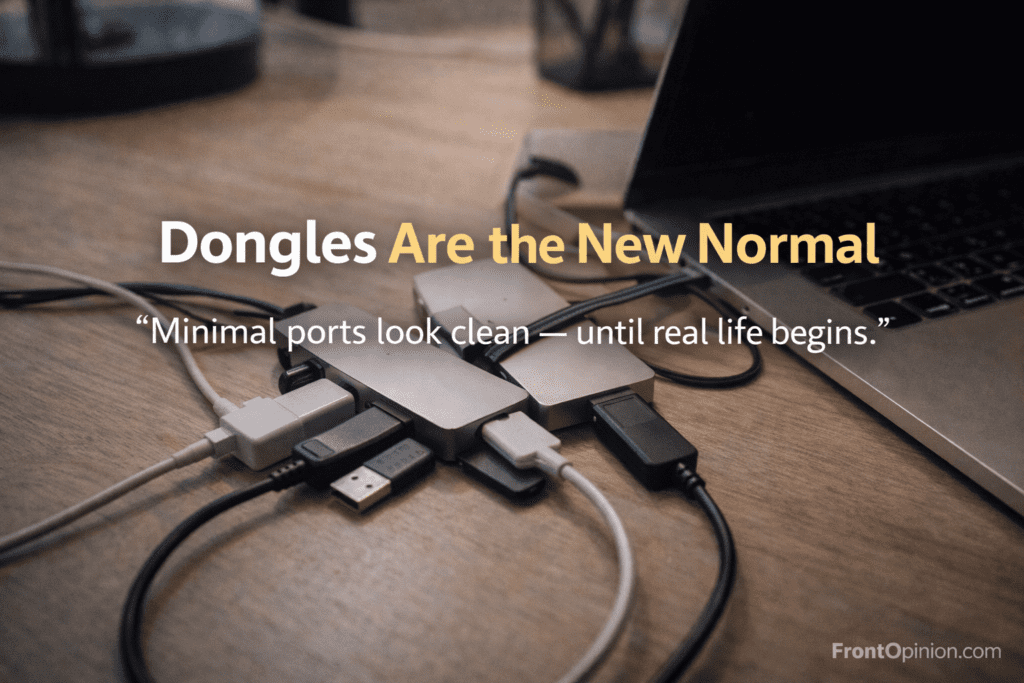
- USB-C hubs & dongles
- External storage (internal upgrades cost more)
- AppleCare (peace of mind, but extra)
- Paid apps replacing free Windows alternatives
Individually small.
Collectively noticeable.
Using a Mac daily for one year slowly teaches you that the ecosystem is… premium-priced.
6. Port Limitations: Daily Irritation, Not a Dealbreaker
Minimal ports look clean—but real life needs flexibility.
Daily scenarios:
- Plugging USB drives
- External displays
- SD cards
- Wired accessories
Result?
A dongle becomes a permanent companion.
You don’t hate it—but you wish it wasn’t necessary.
7. Emotional Frustration: High Expectations Hurt More
Here’s something rarely discussed.
Because Macs are expensive and praised, your expectations rise.
So when:
- An app reloads
- A feature feels missing
- A task feels unnecessarily controlled
…it frustrates you more than it would on a cheaper laptop.
Premium devices come with premium expectations.
8. Long-Term Software Support: Good, But With a Catch
Yes, Macs get updates for years.
But:
- Older models lose features, not updates
- New macOS versions favor newer hardware
- Performance parity slowly shifts
Your Mac doesn’t become useless—but it becomes second priority.
Frustration Summary (After One Year)
✔ What You Accept
- Stability
- Security
- Clean experience
❌ What You Tolerate
- Limited control
- Expensive repairs
- Forced ecosystem choices
- Hidden long-term costs
Who Will Still Be Happy After One Year
You’ll be fine if you:
- Value calm over control
- Don’t tinker with systems
- Prefer things “just working”
- Accept premium pricing
Who Will Slowly Get Annoyed
You may struggle if you:
- Like tweaking systems
- Want upgrade freedom
- Use specialized software
- Hate feeling locked in
After using a Mac daily for one full year, going through productivity highs, silent frustrations, hidden costs, and long-term performance realities, this is the most important part.
This is where we stop explaining
…and start deciding.
No hype.
No brand loyalty.
Just clarity.
The Big Question After One Year
Let’s answer what really matters:
Should YOU buy a Mac in 2026 after knowing everything?
Because the truth is simple:
A Mac is not a “better laptop.”
It’s a different philosophy of computing.
And that philosophy either fits your life—or slowly irritates you.
Who Should Buy a Mac (Very Clearly)
You should confidently buy a Mac if most of these describe you:
✅ You value long-term stability
If you hate system maintenance, driver issues, and random slowdowns, macOS feels calm and predictable—even after one year of daily use.
✅ You work daily for long hours
Writers, bloggers, developers, designers, analysts, office professionals—Macs are built for consistent, fatigue-free work.
✅ You keep devices for 4–6 years
Using a Mac daily for one year shows that it ages slowly. The real value appears over time, not at purchase.
✅ You prefer simplicity over control
If you like things “just working” without tweaking, Apple’s approach feels comforting.
✅ You’re already in the ecosystem
If you use iPhone, iPad, or AirPods, the seamless workflow is genuinely useful—not marketing fluff.
This is exactly how Apple designs its products:
controlled, predictable, and integrated.
Who Should Avoid Buying a Mac
A Mac is not for everyone—and that’s okay.
You should avoid a Mac if these describe you:
❌ You love deep customization
If changing system behavior, UI elements, or workflows is important to you, macOS will feel restrictive over time.
❌ You’re budget-sensitive
Macs are expensive—not just upfront, but long-term (repairs, storage upgrades, accessories).
❌ You rely on niche or legacy software
Some tools still work better—or only—on Windows.
❌ You expect gaming or GPU-heavy performance
Macs are not gaming machines. Using a Mac daily for one year makes this very clear.
❌ You like upgrading hardware
RAM and storage upgrades are either impossible or extremely costly.
Mac vs Windows After One Full Year (Real Comparison)
Let’s simplify this with real-life perspective, not spec sheets.
macOS feels better if you want:
- Stability
- Battery efficiency
- Silent performance
- Long OS support
- Minimal system care
Windows feels better if you want:
- Flexibility
- Hardware choices
- Better gaming
- Cheaper repairs
- Custom workflows
Key truth:
macOS optimizes experience.
Windows optimizes freedom.
The “One-Year Test” Verdict
After using a Mac daily for one year, here’s the honest conclusion:
👍 What Macs do exceptionally well
- Stay smooth over time
- Reduce mental load
- Minimize distractions
- Deliver predictable performance
👎 What Macs will never do
- Be cheap
- Be fully customizable
- Be hardware-upgrade friendly
- Be ideal for every use case
Final Verdict: Should You Buy a Mac in 2026?
Here’s the clearest answer possible:
✔ Buy a Mac if:
You want a long-term, calm, reliable work machine and are comfortable paying extra for consistency.
❌ Don’t buy a Mac if:
You want maximum control, flexibility, or performance-per-rupee.
Using a Mac daily for one year teaches this lesson better than any review:
A Mac doesn’t try to impress you every day.
It tries to not bother you every day.
And for many people—that’s worth the price.